A .NET 9 C# library for parsing and extracting data from MXF (Material Exchange Format), extracted data streams, VBI (Vertical Blanking Interval), T42 (Teletext packet stream), and MPEG-TS (Transport Stream) files, with SMPTE timecode and Teletext caption support (OP-42 & OP-47 in particular).
libopx - an MXF and Teletext caption processing library
A .NET 9 C# library for parsing and extracting data from MXF (Material Exchange Format), BIN (MXF caption data stream), VBI (Vertical Blanking Interval), and T42 (Teletext packet stream) files, with SMPTE timecode and Teletext caption support (OP-42 & OP-47 in particular).
Key Features
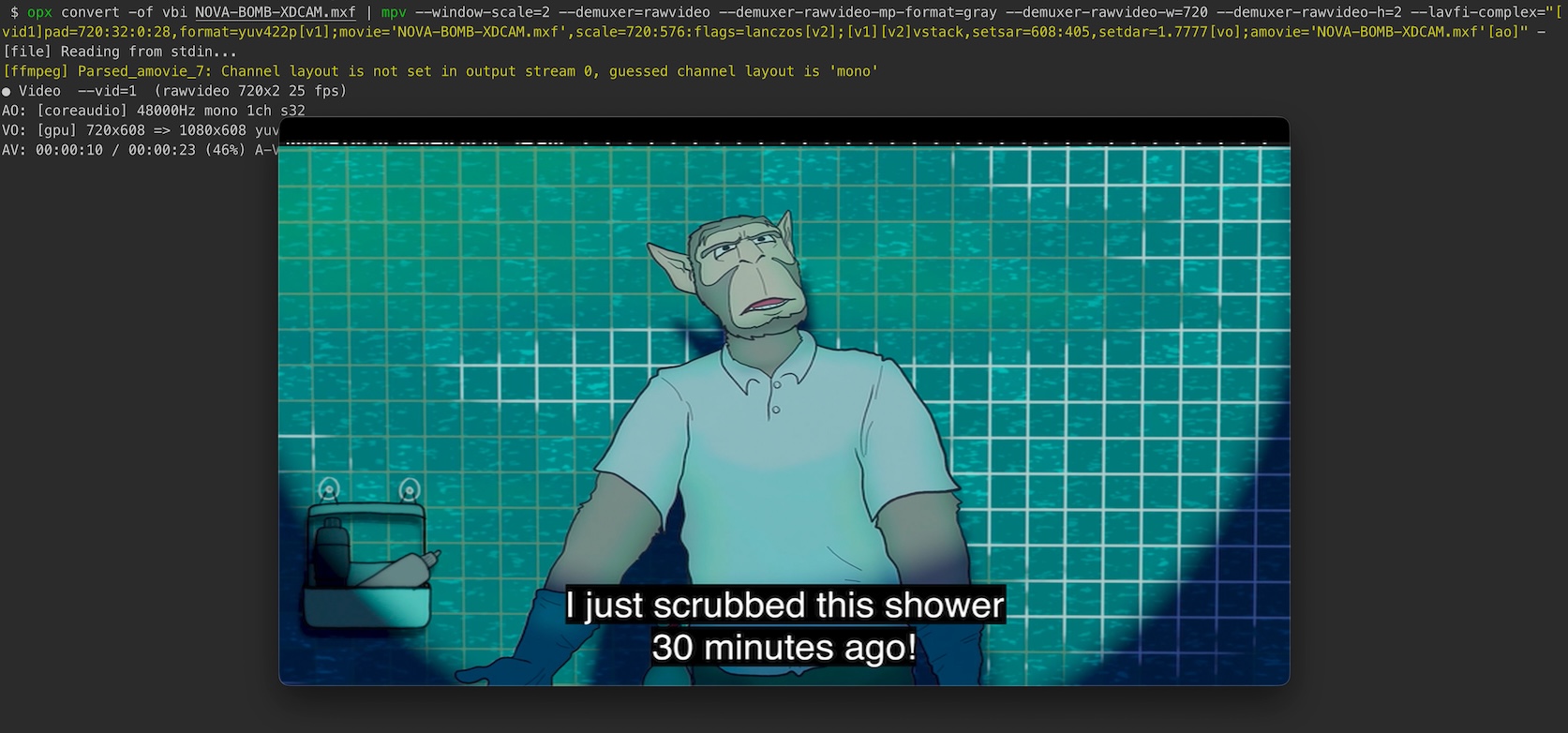
Format conversions: Convert between HD and SD T42 and VBI formats or vice versa. You can even pipe that data to other applications like ffmpeg or mpv.
Multi-format support: BIN, VBI, T42, and MXF file parsing
Format conversion: Automatic VBI ↔ T42 conversion
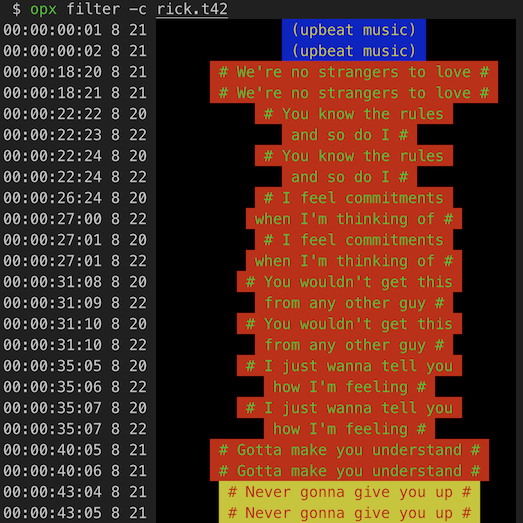
Teletext filtering: Magazine and row-based filtering with Unicode mapping
SMPTE timecode: Full timecode calculations with various frame rates
MXF processing: Stream extraction and demuxing capabilities
CLI tool: Unified opx command-line interface utilizing various library features
Installation
# Clone the repository
git clone https://github.com/nathanpbutler/libopx
cd libopx

# Build the solution
dotnet build

# Run tests (to be implemented)
dotnet test
Quick Start
Using the CLI Tool
# Filter teletext data by magazine and rows
opx filter -m 8 -r 20 -r 22 <input>

# Convert from one format to another
opx convert <input> <output>

# Extract specific streams from MXF files
opx extract -k d,v input.mxf

# Restripe MXF with new timecode
opx restripe -t 10:00:00:00 input.mxf
Using the Library
Filtering teletext Data
using nathanbutlerDEV.libopx;
using nathanbutlerDEV.libopx.Formats;

// Parse MXF file with filtering
using var mxf = new MXF("input.mxf");
foreach (var line in mxf.Parse(magazine: null, rows: Constants.CAPTION_ROWS))
{
    Console.WriteLine(line);
}

// Parse VBI file with filtering
using var vbi = new VBI("input.vbi");
foreach (var line in vbi.Parse(magazine: null, rows: Constants.CAPTION_ROWS))
{
    Console.WriteLine(line);
}

// Parse T42 file
using var t42 = new T42("input.t42");
foreach (var line in t42.Parse(magazine: null))
{
    Console.WriteLine(line);
}
Converting Between Formats
using nathanbutlerDEV.libopx;
using nathanbutlerDEV.libopx.Formats;
using nathanbutlerDEV.libopx.Enums;

// Format conversion pattern - works for VBI, T42, BIN, and MXF
using var parser = new VBI("input.vbi") // or T42, BIN, MXF
{
    OutputFormat = Format.T42 // or Format.VBI, Format.VBI_DOUBLE
};
parser.SetOutput("output.t42");

// For VBI/T42 (returns IEnumerable<Line>)
foreach (var line in parser.Parse(magazine: null, rows: Constants.DEFAULT_ROWS))
{
    parser.Output.Write(line.Data);
}

// For BIN/MXF (returns IEnumerable<Packet>)
foreach (var packet in parser.Parse(magazine: null, rows: Constants.DEFAULT_ROWS))
{
    foreach (var line in packet.Lines.Where(l => l.Type != Format.Unknown))
    {
        parser.Output.Write(line.Data);
    }
}

parser.Dispose(); // Ensure output is flushed
CLI Commands
filter - Filter teletext data
opx filter [options] <input-file?>
Options:
-m, --magazine <int>: Filter by magazine number (default: all magazines)
-r, --rows <string>: Filter by rows (comma-separated or hyphen ranges, e.g., 1,2,5-8,15)
-f, --format <bin|vbi|vbid|t42>: Input format override
-c, --caps: Use caption rows (1-24) instead of default rows (0-24)
-l, --line-count <int>: Lines per frame for timecode (default: 2)
-V, --verbose: Enable verbose output
Examples:
# Filter VBI data for magazine 8, rows 20 and 22
opx filter -m 8 -r 20,22 input.vbi

# Filter T42 data for all magazines, caption rows only
opx filter -c input.t42

# Filter MXF data for magazine 8, rows 5-8 and 15
opx filter -m 8 -r 5-8,15 input.mxf

# Pipe a D10 MXF from FFmpeg to opx and filter teletext data
ffmpeg -v error -i input.mxf -vf crop=720:2:0:28 -f rawvideo -pix_fmt gray - | opx filter -c -i -
convert - Convert between MXF data and teletext formats
opx convert [options] <input-file?>
Options:
-i, --input-format <bin|vbi|vbid|t42|mxf>: Input format (auto-detected if not specified)
-o, --output-format <vbi|vbid|t42>: Output format [required]
-f, --output-file <file>: Output file path (writes to stdout if not specified)
-m, --magazine <int>: Filter by magazine number (default: all magazines)
-r, --rows <string>: Filter by rows (comma-separated or hyphen ranges, e.g., 1,2,5-8,15)
-c, --caps: Use caption rows (1-24) instead of default rows (0-24)
-k, --keep: Write blank bytes if rows or magazine doesn't match
-l, --line-count <int>: Lines per frame for timecode (default: 2)
-V, --verbose: Enable verbose output
Examples:
# Convert VBI to T42 format (auto-detect input)
opx convert -o t42 input.vbi

# Convert MXF data stream to T42 with file output
opx convert -i mxf -o t42 -f output.t42 input.mxf

# Convert T42 to VBI with magazine/row filtering
opx convert -i t42 -o vbi -m 8 -r 20-22 input.t42

# Convert VBI to T42 with caption rows only
opx convert -o t42 -c input.vbi

# Convert MXF to VBI preserving structure with blank bytes
opx convert -i mxf -o vbi -k input.mxf

# Pipe a D10 MXF from FFmpeg to opx and convert to T42
ffmpeg -v error -i input.mxf -vf crop=720:2:0:28 -f rawvideo -pix_fmt gray - | ./opx convert -o t42 -f output.t42 -
extract - Extract/demux streams from MXF
opx extract [options] <input.mxf>
Options:
-o, --output <string>: Output base path
-k, --key <d|v|s|t|a>: Extract specific keys
-d, --demux: Extract all keys found
--klv: Include key and length bytes
-V, --verbose: Enable verbose output
Examples:
# Extract all streams from MXF file
opx extract input.mxf

# Extract only data and video streams
opx extract -k d,v input.mxf
restripe - Restripe MXF with new timecode
opx restripe [options] <input-file>
Options:
-t, --timecode <string>: New start timecode (HH:MM:SS:FF) [required]
-V, --verbose: Enable verbose output
Project Structure
libopx/
 apps/
   opx/              # Unified CLI tool
 lib/                # Main library
   Formats/          # Format parsers (MXF, BIN, VBI, T42)
   SMPTE/            # SMPTE metadata system
   Enums/            # Enumeration definitions
 samples/            # Sample files for testing
 scripts/            # Various scripts
 tests/              # xUnit test suite
vhs-teletext - Software to recover teletext data from VHS recordings (inspiration for filter command)
MXFInspect - Tool for displaying the internal structure of MXF files (was super helpful for understanding MXF parsing and the intricacies of SMPTE timecodes)
bmxtranswrap - BBC's MXF processing library and utilities (inspiration for extract command)
SubtitleEdit - An incredibly useful C# library and software for subtitle editing and processing
CCExtractor - Closed caption and subtitle extraction and processing
ffmpeg - The swiss army knife of multimedia processing