FusionCache is an easy to use, fast and robust hybrid cache with advanced resiliency features.
$ dotnet add package ZiggyCreatures.FusionCache
🙋♂️ Updating from before v0.20.0 ? please read here. |
|---|
It was born after years of dealing with all sorts of different types of caches: memory caching, distributed caching, http caching, CDNs, browser cache, offline cache, you name it. So I've tried to put together these experiences and came up with FusionCache.
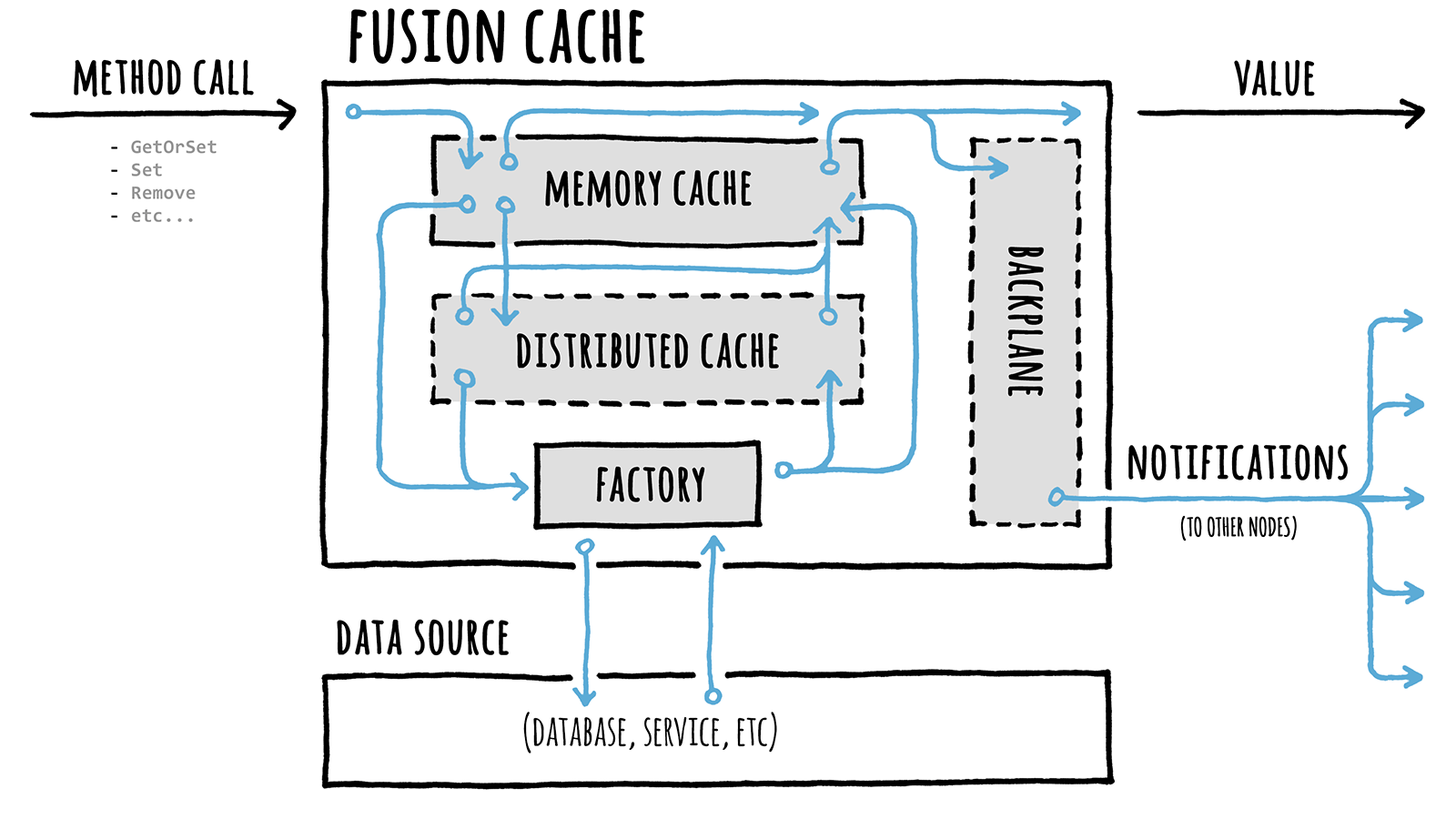
It uses a memory cache (any impl of the standard IMemoryCache interface) as the primary backing store and optionally a distributed, 2nd level cache (any impl of the standard IDistributedCache interface) as a secondary backing store for better resilience and higher performance, for example in a multi-node scenario or to avoid the typical effects of a cold start (initial empty cache, maybe after a restart).
Optionally, it can also use a backplane: in a multi-node scenario this will send notifications to the other nodes to keep each node's memory cache perfectly synchronized, without any additional work.
FusionCache also includes some advanced resiliency features like a fail-safe mechanism, cache stampede prevention, fine grained soft/hard timeouts with background factory completion, customizable extensive logging and more (see below).
On August 2021, FusionCache received the Google Open Source Peer Bonus Award: here is the official blogpost.
With 🦄 A Gentle Introduction you'll get yourself comfortable with the overall concepts.
Want to start using it immediately? There's a ⭐ Quick Start for you.
Curious about what you can achieve from start to finish? There's a :woman_teacher: Step By Step guide.
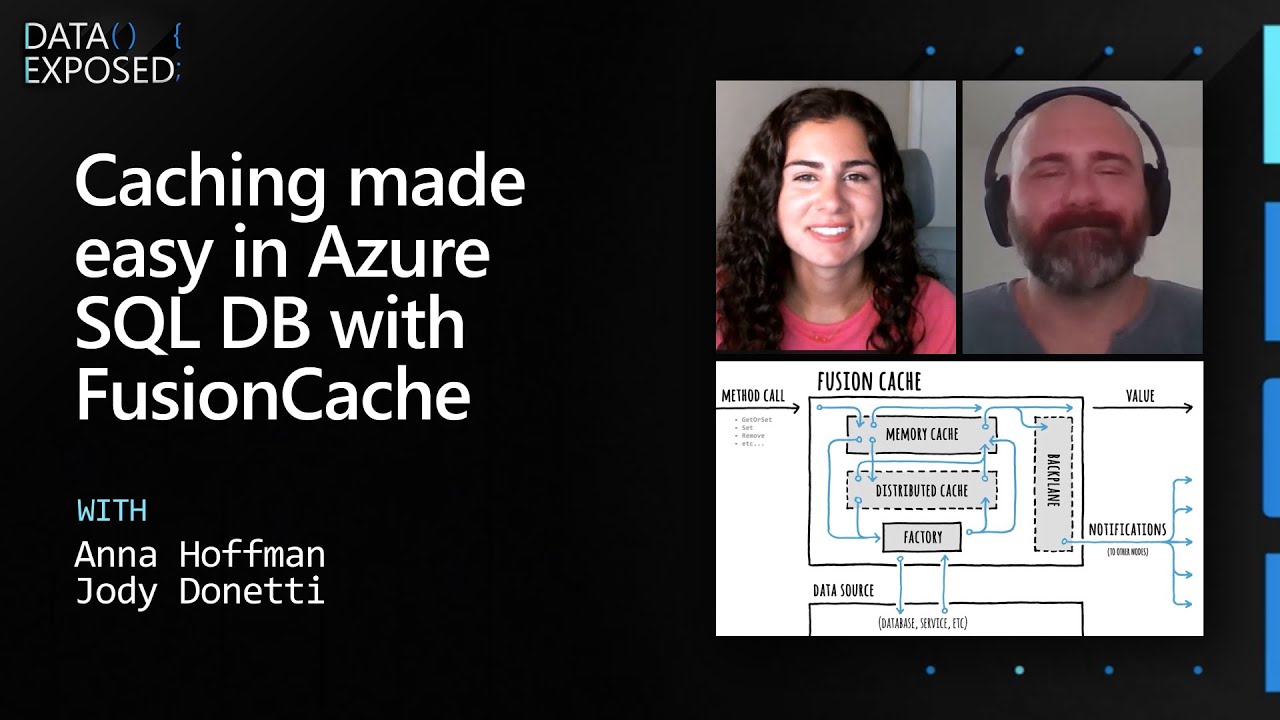
More into videos? The great Anna Hoffman has been so nice to listen to me mumble random stuff on Data Exposed.
These are the key features of FusionCache:
IDistributedCacheILogger interfaceFusionCache can be installed via the nuget UI (search for the ZiggyCreatures.FusionCache package) or via the nuget package manager console:
PM> Install-Package ZiggyCreatures.FusionCache
As an example, imagine having a method that retrieves a product from your database:
Product GetProductFromDb(int id) {
// YOUR DATABASE CALL HERE
}
💡 This is using the sync programming model, but it would be equally valid with the newer async one for even better performance.
To start using FusionCache the first thing is create a cache instance:
var cache = new FusionCache(new FusionCacheOptions());
If instead you are using DI (Dependency Injection) use this:
services.AddFusionCache();
We can also specify some global options, like a default FusionCacheEntryOptions object to serve as a default for each call we'll make, with a duration of 2 minutes and a Low priority:
var cache = new FusionCache(new FusionCacheOptions() {
DefaultEntryOptions = new FusionCacheEntryOptions {
Duration = TimeSpan.FromMinutes(2),
Priority = CacheItemPriority.Low
}
});
Or, using DI, like this:
services.AddFusionCache()
.WithDefaultEntryOptions(new FusionCacheEntryOptions {
Duration = TimeSpan.FromMinutes(2),
Priority = CacheItemPriority.Low
})
;
Now, to get the product from the cache and, if not there, get it from the database in an optimized way and cache it for 30 sec simply do this:
var id = 42;
cache.GetOrSet<Product>(
$"product:{id}",
_ => GetProductFromDb(id),
TimeSpan.FromSeconds(30)
);
That's it 🎉
A complete documentation, including examples and common use cases, is available at the official repo page on GitHub.
FusionCache targets .NET Standard 2.0 so any compatible .NET implementation is fine: this means .NET Framework (the old one), .NET Core 2+ and .NET 5/6+ (the new ones), Mono 5.4+ and more (see here for a complete rundown).
NOTE: if you are running on .NET Framework 4.6.1 and want to use .NET Standard packages Microsoft suggests to upgrade to .NET Framework 4.7.2 or higher (see the .NET Standard Documentation) to avoid some known dependency issues.