qameta/Allure.NUnitv2.10.0
✓ Verified.NET Std2.0
Create beautiful reports from your NUnit tests.
Get Started
$ dotnet add package Allure.NUnitReadme
Allure NUnit adapter
NUnit adapter for Allure Framework



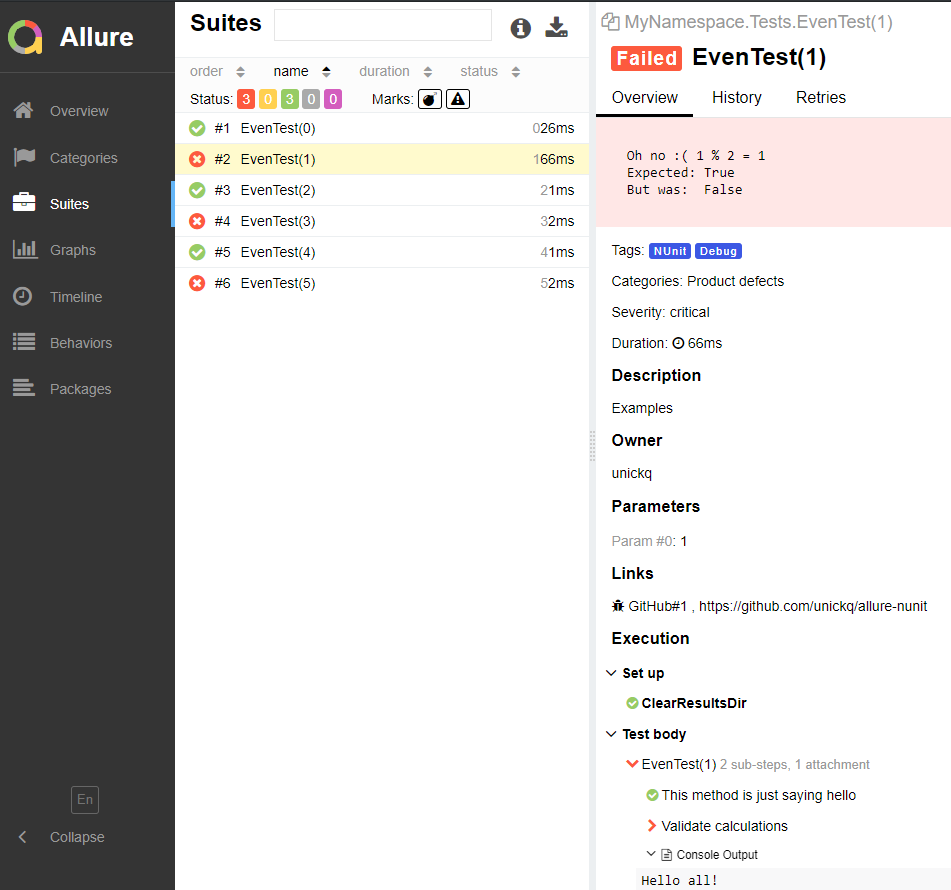
Code examples:
[TestFixture(Author = "unickq", Description = "Examples")]
[AllureNUnit]
[AllureLink("https://github.com/allure-framework/allure-csharp")]
public class Tests
{
    [OneTimeSetUp]
    public void ClearResultsDir()
    {
        AllureLifecycle.Instance.CleanupResultDirectory();
    }

    [AllureStep("This method is just saying hello")]
    private void SayHello()
    {
        Console.WriteLine("Hello!");
    }

    [Test]
    [AllureTag("NUnit", "Debug")]
    [AllureIssue("GitHub#1", "https://github.com/allure-framework/allure-csharp")]
    [AllureSeverity(SeverityLevel.critical)]
    [AllureFeature("Core")]
    [AllureId(123)]
    public void EvenTest([Range(0, 5)] int value)
    {
        SayHello();

        //Wrapping Step
        AllureLifecycle.Instance.WrapInStep(
            () => { Assert.IsTrue(value % 2 == 0, $"Oh no :( {value} % 2 = {value % 2}"); },
            "Validate calculations");
    }
}
Installation and Usage
- Download from Nuget with all dependencies
- Configure allureConfig.json
- Apply the
[AllureNUnit]attribute to test fixtures - Use other attributes in
NUnit.Allure.Attributesif needed
For users of Mac with Apple silicon
If you're developing on a Mac machine with Apple silicon, make sure you have Rosetta installed. Follow this article for the instructions: https://support.apple.com/en-us/HT211861
You may also install Rosetta via the CLI:
/usr/sbin/softwareupdate --install-rosetta --agree-to-license