Found 25 packages
FunctionContext accessor via dependency injection
This library enables you to access FunctionContext via a dependency injected accesson on Azure Functions .NET Worker, for the isolated, out-of-process execution model.
Package Description
Support for bindings and IBinder interface in Azure Functions .NET isolated worker as they appear in WebJobs.
Msb.DatabaseContext is a lightweight, attribute-driven ORM for .NET that enables automatic CRUD operations, function and stored procedure execution, JSON mapping, and transaction management across all major relational databases (RDBMS).
1.CallingLogInterceptor.cs 拦截器 2.MethodOperationInfo.cs 操作日志 3.MyProxyGenerator.cs 代理类 调用方法 ITest t = MyProxyGenerator.CreateProxy<ITest, Test>(); /// <summary>执行后 /// 主要把执行的结果集,输入的参数,该接口访问的耗时.记录到接口日记中. /// </summary> /// <param name="context"></param public override void OnActionExecuted(ActionExecutedContext context) { string action = context.ActionDescriptor.RouteValues["action"];//方法 string controller = context.ActionDescriptor.RouteValues["controller"];//控制名 string ReturnText = Newtonsoft.Json.JsonConvert.SerializeObject(errcode);//返回值 Dictionary<string, MethodOperationInfo> dic = MethodOperationInfo.Print(); //获取此次请求完整方法 Task<int> t1 = myLogNetDal.LogNetAdd(dic, controller, action,ReturnText);//异步 计划报表 }
Easily add ILogger (non-generic) support logging back into Azure Functions (Isolated Process) for improved DI, better de-coupling from generic types, improved code portability, etc.
Use for common function and easy to use, Such as following: Query Data From DbContext, Dynamic Order By and Pagination, MappingService, Implement middleware to use jwt authentication, Decryption in middleware. RestApiService easy to use for call api , Function sendEmail , Function encrypt salt and verify result bool, HashSha256 function. OrderByService for dynamic order by.
Contains a few mock classes for use with unit testing methods that are intended to function only in the context of a web request
A command line tool that extracts Model Context Protocol (MCP) tool metadata from .NET assemblies and outputs it as JSON, Python function definitions, or MCPB (aka DXT) manifests.
Helper Middleware to attach the ClaimsPrincipal to the FunctionContext. Only supports App Roles for Authorization.
A sample useful MongoDB Driver Helper.Only rely MongoDB.Driver.Include function below: 1.BaseDbContext.cs:you can create your DbContext inherit BaseDbContext package some useful mongodb-to-C# mapping,like ObjectId<=>string,UTC<=>LocalTime,Enum<=>string,property name to camel field..etc 2.can get ConnetionString from env "CONNECTIONSTRINGS_MONGO" in docker container or "ConnectionStrings.Mongo" in appsettings.json: 3.BsonDocumentExtends.cs: extend method to BsonValue,for example: var bs={info:{gender:{k:'01',v:'Man'}}} . we can get "Man" through bs.GetValueByHierarchicalNames("info.gender.v") 4.you can simply using BL.MongoDB.Gen's AddBLMongoDbContext method in ConfigureServices(startup.cs) to create your DbContext 5.example.api have some simple code for refering
Build Model Context Protocol (MCP) servers in .NET with MCPSharp. Create MCP-compliant tools and functions that AI models can discover and use. Features attribute-based API, and seamless JSON-RPC communication. await MCPServer.StartAsync("EchoServer", "1.0.0"); [McpTool] class MyTool { [McpFunction("echo","returns the input string back to you")] public string echo(string input) => input; }
Tool calling extensions for DevGPT LLM clients. Provides reusable tools that LLMs can invoke including Claude CLI execution, web page scraping, and tool context base classes. Enables function calling and external system integration for AI agents.
Design for Asp.Net Framework MVC multiple tables CRUD. Only code need is to inherit from TableController, set the TableNameList, IsReadonly attributes, the view will automatically get from share folder. Table Controller will get the dbContext based on table name accordingly.. Typical usage cases, multiple tables setting, read only data downloading. Provide bulk upload/download function from excel also. The UI design is based on Bootstrap with mobile support, provide razor source code which can be customized. Multiple language support for both English and Chinese (can expand to others also). Sql query searching support also.
Jellyfin plugin to allow other plugin developers to intercept and change the delivered web content of jellyfin-web without requiring custom jellyfin-web builds or injected javascript. This plugin is based on a Pull Request (https://github.com/jellyfin/jellyfin/pull/9095) by https://github.com/JPVenson. Most of the code here was written by him, though adapted to function in a plugin context rather than a native change.
First-class Model Context Protocol (MCP) support for Semantic Kernel. Discover, connect, and invoke MCP tools from multiple providers (Claude Code, Claude Desktop, VS Code, Codex, Copilot, JD Canonical) and surface them as native KernelPlugin / KernelFunction primitives.
release your web authority control to your user! to auto customization your asp.net mvc authority how to use it 1. injection models open Global.asax and in Application_Start() function add as bellow AutorityCentral.Initialization("YOR DB Context Name"); 2. Open link as bellow http://xxxxxxxx/AuthorityBook/Index version log: compatible Windows authentication and Individual User Accounts. auto check application authentication mode Add user login and set Session["UserID] if authentication mode is "none"; add user password MD5 encode db allow UTF-8
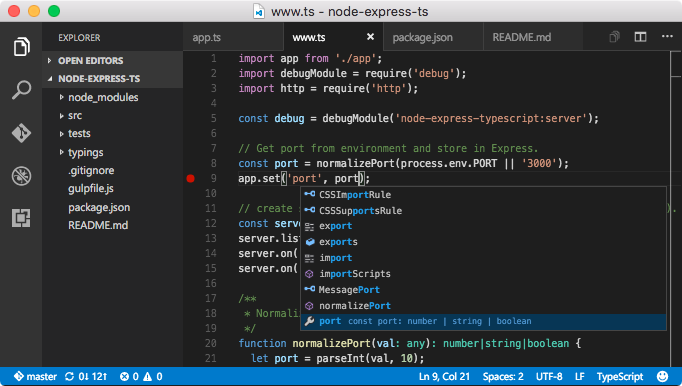
Build and debug modern web and cloud applications. Code is free and available on your favorite platform - Linux, Mac OSX, and Windows. ## Features * **Meet IntelliSense:** Go beyond syntax highlighting and autocomplete with IntelliSense, which provides smart completions based on variable types, function definitions, and imported modules. * **Print statement debugging is a thing of the past:** Debug code right from the editor. Launch or attach to your running apps and debug with break points, call stacks, and an interactive console. * **Git commands built-in:** Working with Git has never been easier. Review diffs, stage files, and make commits right from the editor. Push and pull from any hosted Git service. * **Extensible and customizable:** Want even more features? Install extensions to add new languages, themes, debuggers, and to connect to additional services. Extensions run in separate processes, ensuring they won't slow down your editor. ## Package parameters * `/NoDesktopIcon` - Don't add a desktop icon. * `/NoQuicklaunchIcon` - Don't add an icon to the QuickLaunch area. * `/NoContextMenuFiles` - Don't add an _Open with Code_ entry to the context menu for files. * `/NoContextMenuFolders` - Dont't add an _Open with Code_ entry to the context menu for folders. * `/DontAddToPath` - Don't add Visual Studio Code to the system PATH. Example: `choco install vscode --params "/NoDesktopIcon /DontAddToPath"` ## Notes * The package uses default install options except that it adds context menu entries and Visual Studio Code isn't started after installation. * For disabling the auto-update functionality see the [Visual Studio Code Auto Update Deactivation package](https://chocolatey.org/packages/visualstudiocode-disableautoupdate).