Databinding EditorConfig Standard
Get Started
$ dotnet add package databinding.editorconfigReadme

EditorConfig Item Template


The editorconfig is used to set code rules for projects in Visual Studio or VS Code. Rules are defined how the source code should look like, so that they support the developer.
These rules are used by databinding by default.
The template for the .editorconfig file is downloaded over NuGet.org.
Documentation
Information about EditorConfig.
Getting Started
Prerequisites
IDEs which support .editorconfig files.
More about that here.
Installing
Install the NuGet package to local machine.
Open Command Prompt and execute:
dotnet new install databinding.editorconfig::2024.01.18.4
To verify that it was installed correctly, run:
dotnet new --list
It appears in the list:

Uninstall
To uninstall the template open Command Prompt, execute:
dotnet new uninstall databinding.editorconfig
It does not show up in the list anymore.
Use in Project
Adding with Package Manager Console
Open the Package Manager Console in the project directory.
Execute:
dotnet new db-editorconfig -n .editorconfig
The .editorconfig file is now in the project.
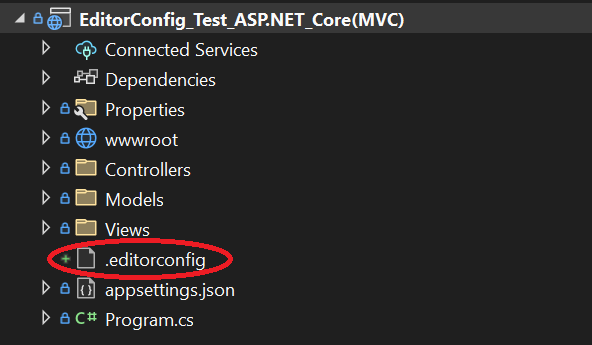
Use in Solution
Adding with Package Manager Console
Open the Package Manager Console in the solution directory.
Execute:
dotnet new db-editorconfig -n .editorconfig
Right-click the solution and add the .editorconfig file with "Add / Existing item...".
The .editorconfig file is now in the Solution Items folder.
Adding with Visual Studio Item Template
Project templates are shown automatically after the installation. For unknown reasons, the item templates are not.
Adding with Terminal is the only option right now.
Editor
Only open the .editorconfig file with a text editor. Any other editor may cause unwanted changes.
For example, Visual Studio opens the file like so:
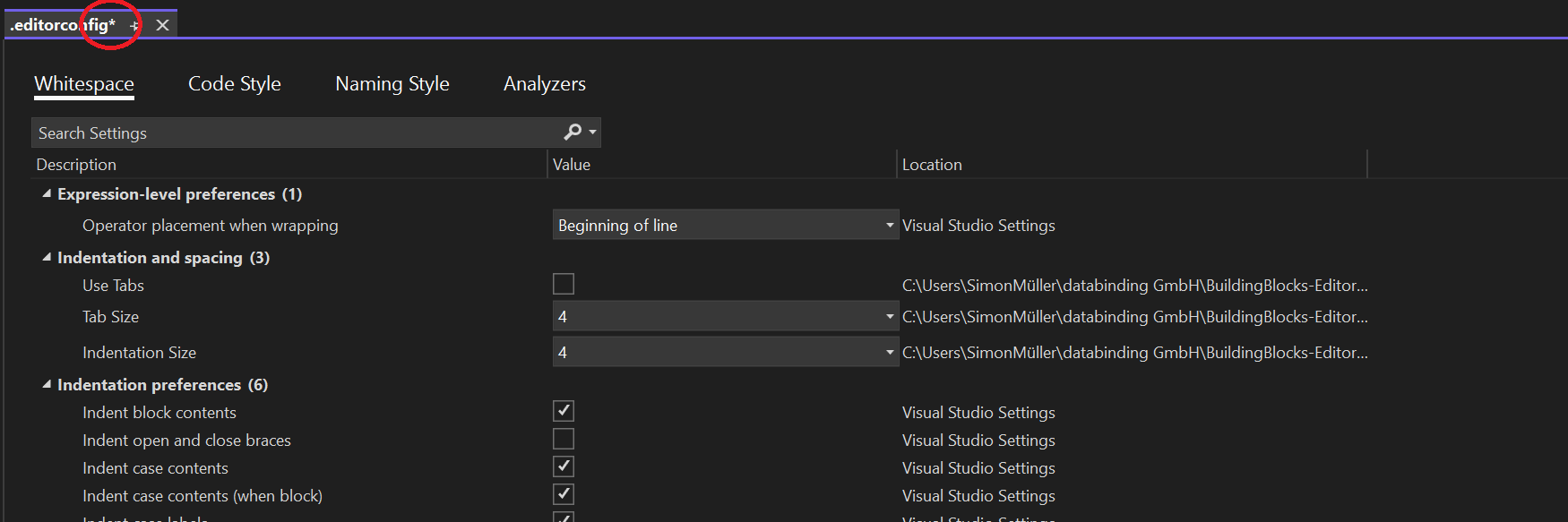
Saving it would override all Configurations.
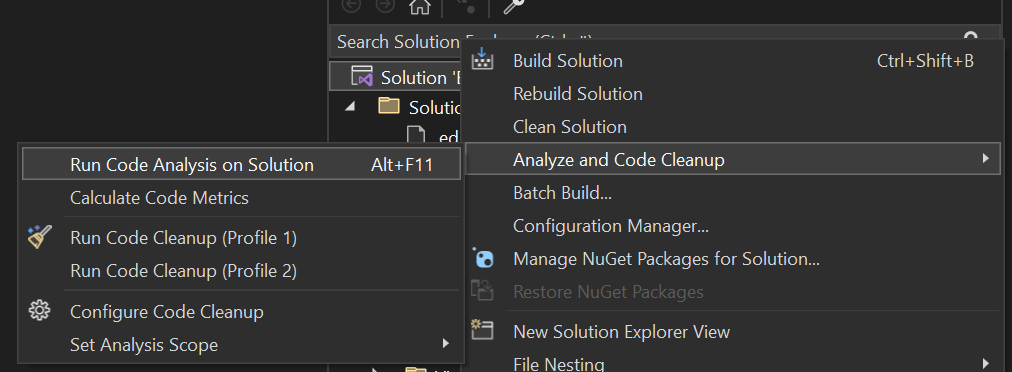
Run Analyzer
After right-clicking the solution or project, the code analyzer searches the code for style errors.