Contentful Update Tool. Bulk upload and download from excel/csv/tsv/yaml/json/sql.
Get Started
$ dotnet add package cutReadme
Contentful Update Tool

Introduction
cut is a stand-alone cross-platform command line interface (CLI) that allows bulk downloads, editing and uploads to and from a Contentful space and supports the following :-
- CSV - Contentful -> Comma delimeted files -> Contentful
- TSV - Contentful -> Tab delimeted files -> Contentful
- Excel - Contentful -> Excel xlsx workbook -> Contentful
- Json - Contentful -> Json -> Contentful
- Yaml - Contentful -> Yaml -> Contentful
Contentful is a headless content management system (CMS) that allows teams to store, manage and retrieve content for websites and apps.
Installation
Firstly, make sure you have the Dotnet SDK 8.0 package installed.
For windows (cmd or powershell):
winget install Microsoft.DotNet.SDK.8
Or, on linux and iOS
sudo apt-get update && sudo apt-get install -y dotnet-sdk-8.0
Then:
On windows you may have to close and re-open the command line propt (or Windows Terminal).
Install the cut cli by typing.
dotnet tool install -g cut
To test whether the installation worked
Simply type
cut
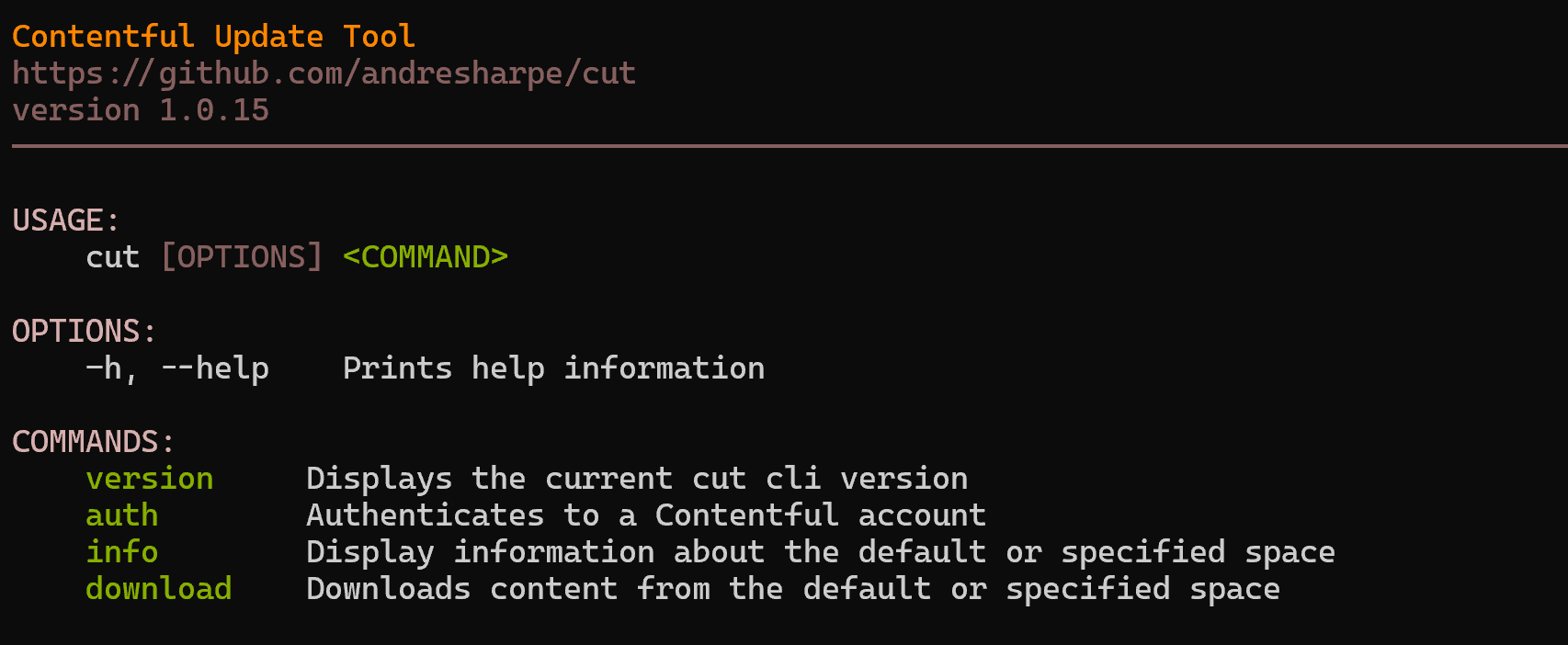
This will display the cut help. You are ready to go! 🚀
Getting Help
cut --help
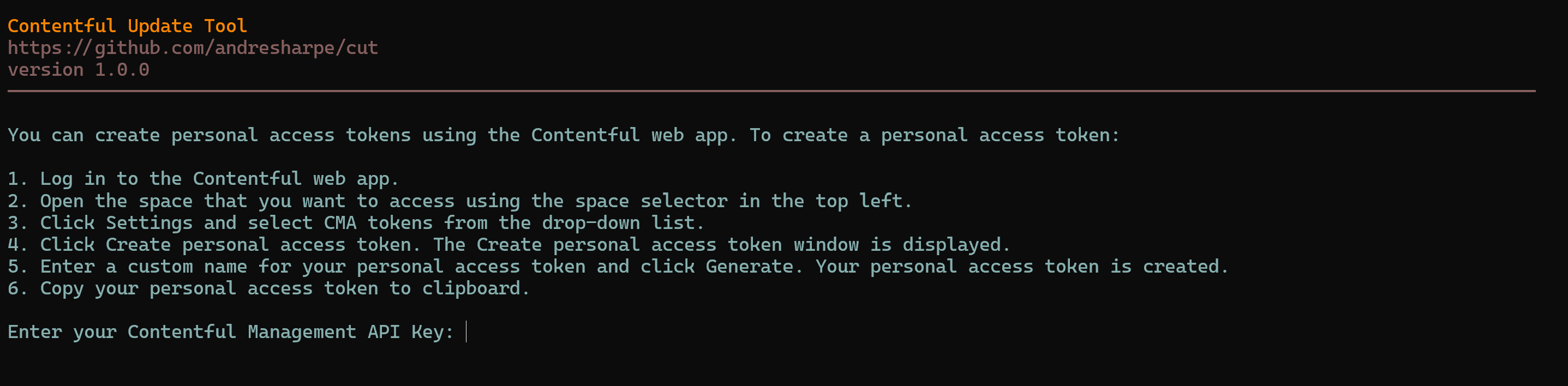
Logging into Contentful
cut auth
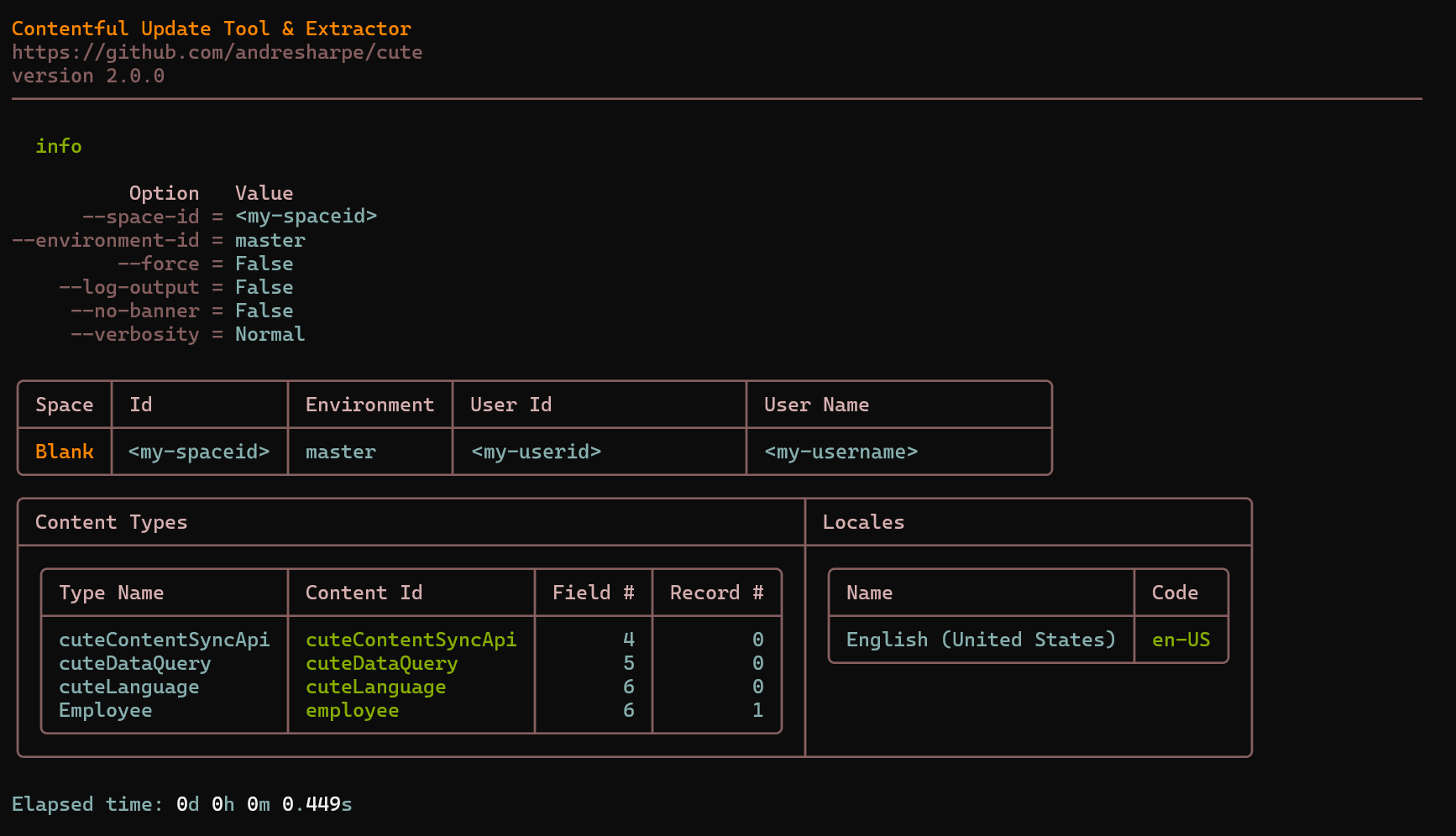
Display space summary
cut info
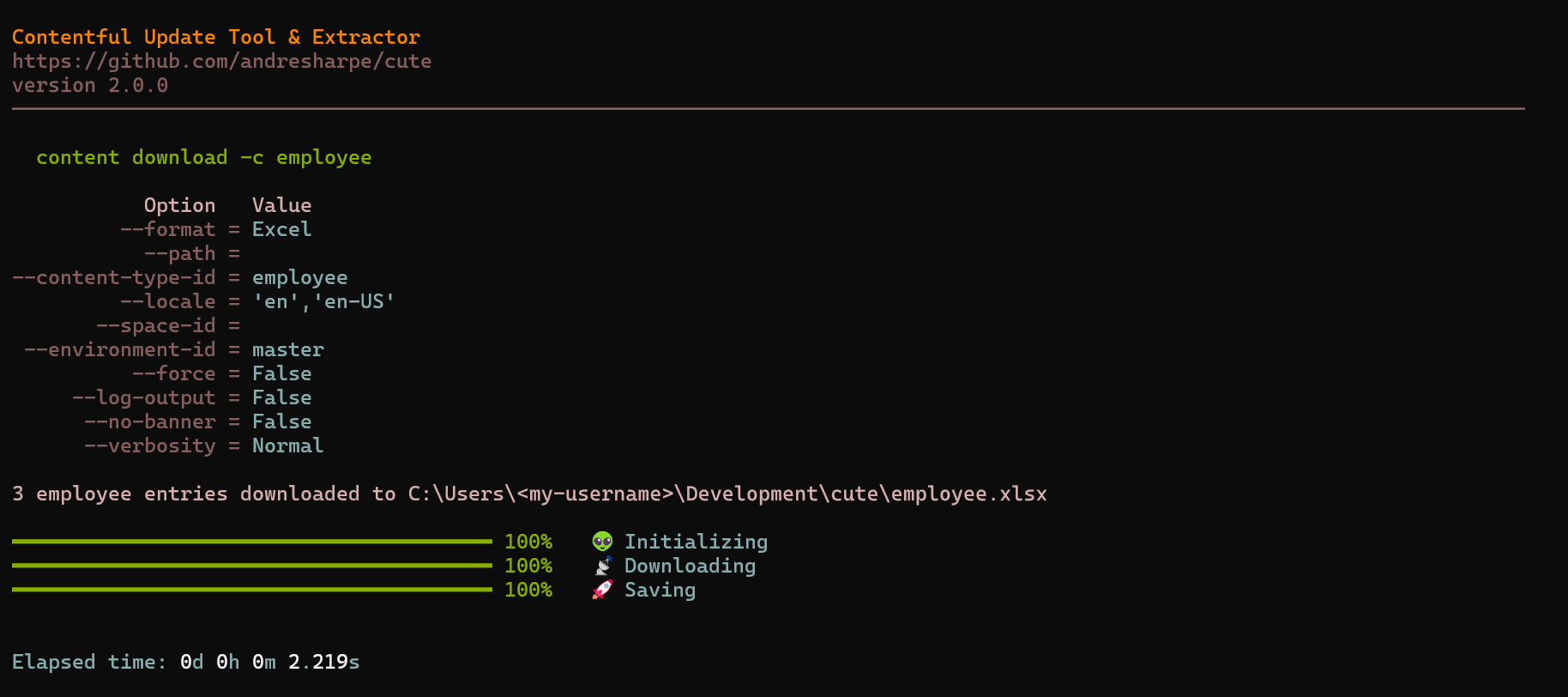
Downloading data
The default format is 'excel' so the following is equivelent.
cut download --content-type <contentType>

cut download --content-type <contentType> --format excel
For comma seperated values:
cut download --content-type <contentType> --format csv
For tab seperated values:
cut download --content-type <contentType> --format tsv
For json output:
cut download --content-type <contentType> --format json
For downloading to Yaml:
cut download --content-type <contentType> --format yaml
Typing cut download --help will list all currently available options and usage
USAGE:
    cut download [OPTIONS]

OPTIONS:
    -h, --help            Prints help information
    -c, --content-type    Specifies the content type to download data for
    -f, --format          The output format for the download operation (Excel/Csv/Tsv/Json/Yaml)
Uploading/synchronizing data
You can upload content from a local file to contentful. The local file can be a previously downloaded and updated excel, sdv, tsv, json or yaml file.
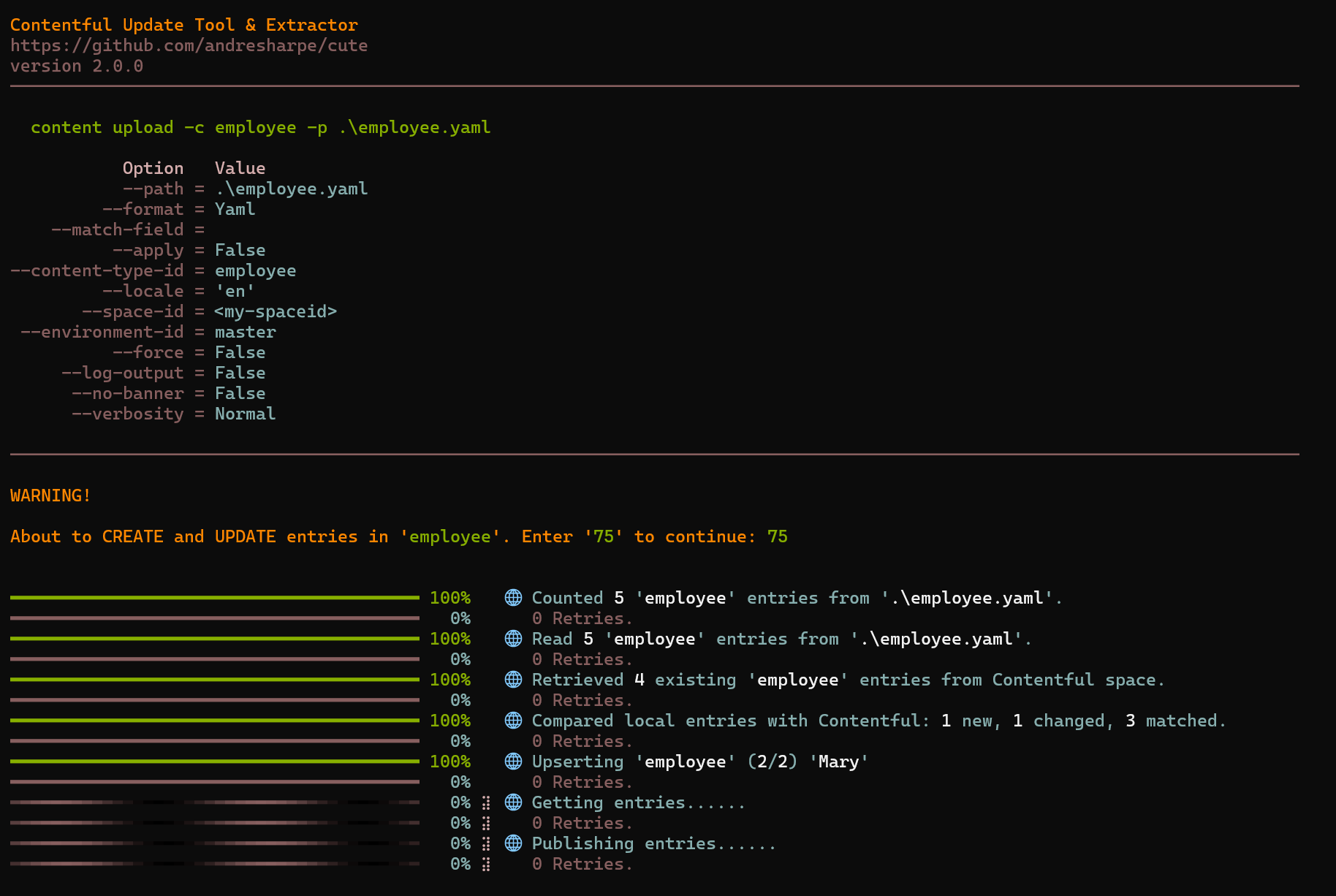
Changes are only applied to Contentful if --apply is specified. By default no changes will be applied so it works a bit like a "what-if" powershel switch without --apply.
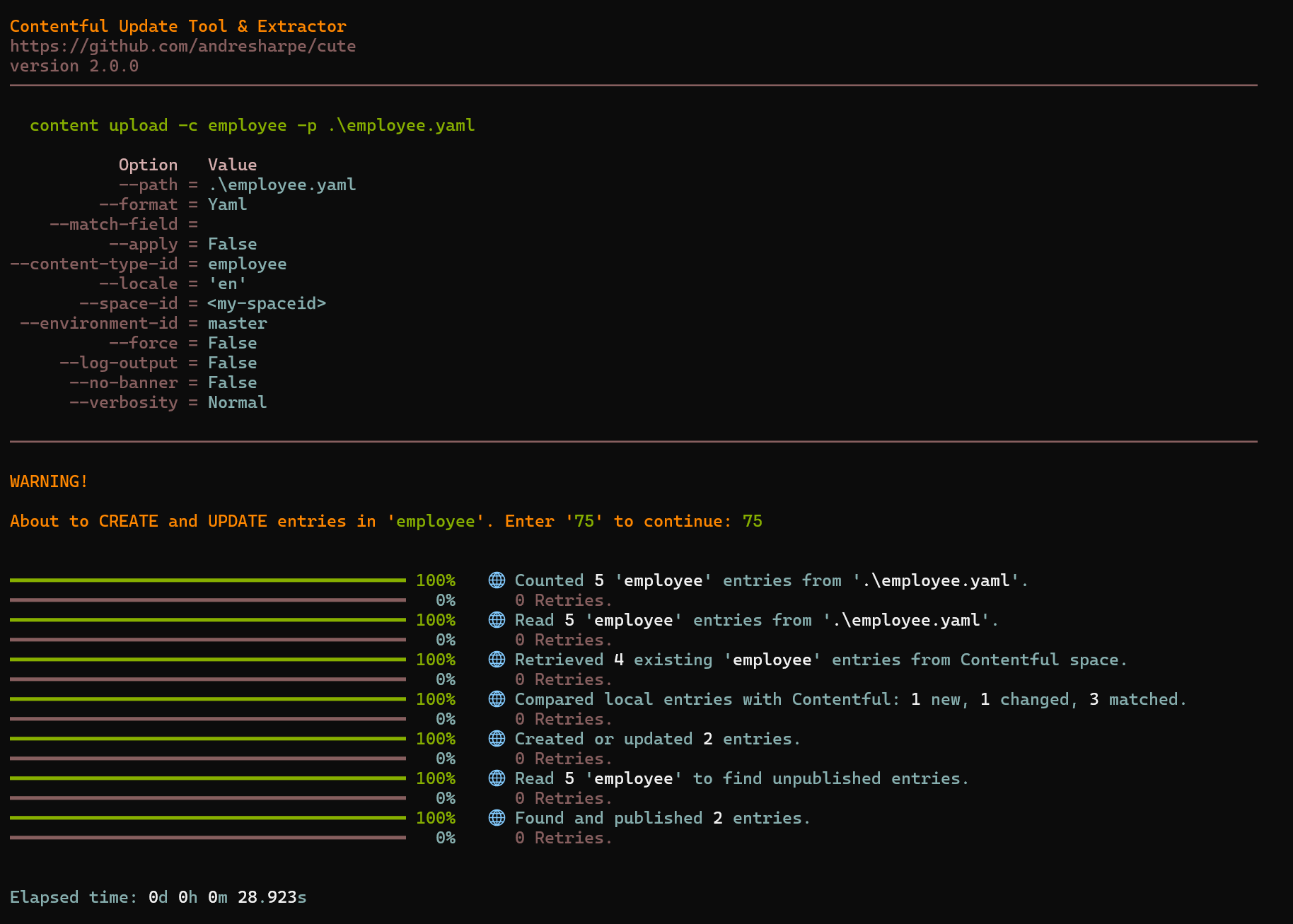
Typing cut upload --help will sow the full usage and options.
USAGE:
    cut upload [OPTIONS]

OPTIONS:
    -h, --help            Prints help information
    -c, --content-type    Specifies the content type to download data for
    -p, --path            The local path to the file containg the data to sync
    -f, --format          The format of the file specified in '--path' (Excel/Csv/Tsv/Json/Yaml)
    -a, --apply           Apply and publish all the calculated changes. The default behaviour is to only list the detected changes
For generating strong Javascript or Dotnet types
This feature will be coming soon...