A cross-platform pre-instrumenting code coverage tool set for .net/.net core and Mono
Get Started
$ dotnet add package altcover.visualizerReadme
altcover.visualizer
A global tool for displaying code coverage in a number of formats (NCover 1.x, OpenCover, LCov, Cobertura, coverlet,...), using the the cross-platform AvaloniaUI toolkit
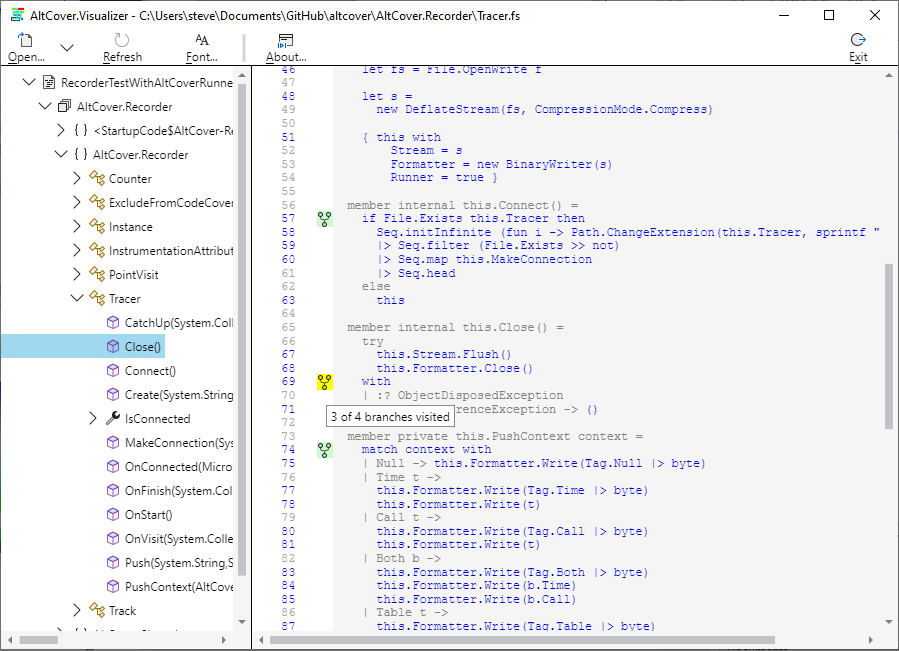
User Guide
Full wiki page here
Here's the simple naming of parts
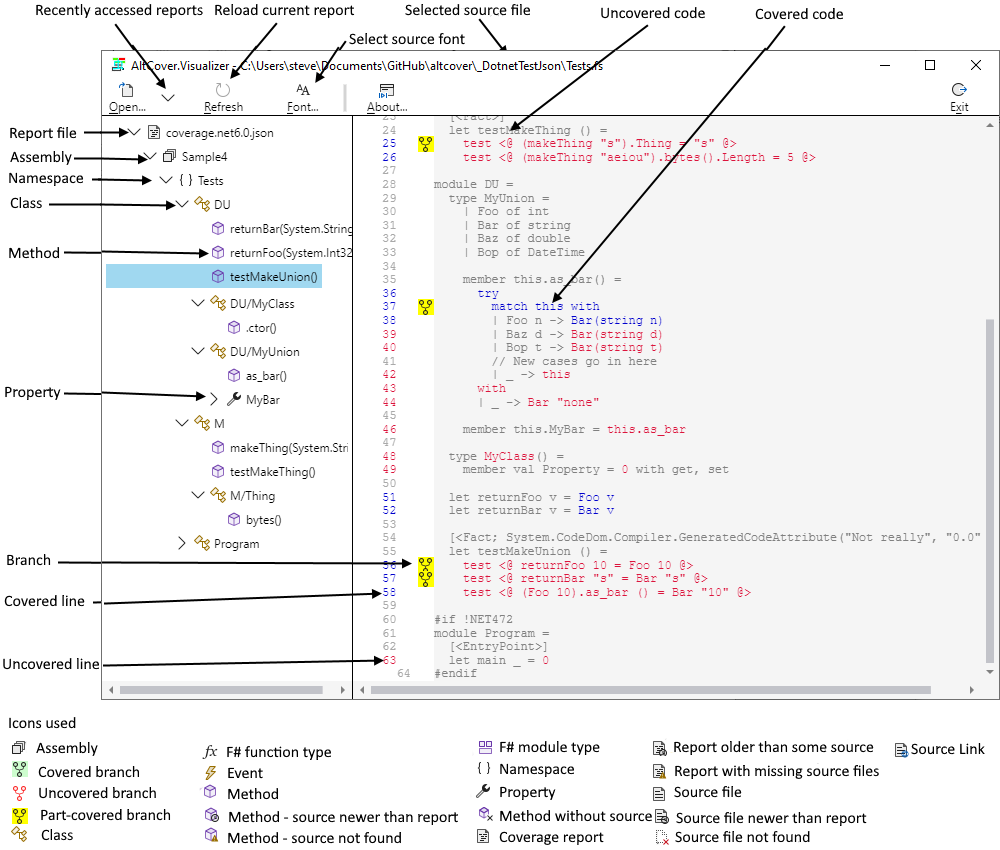
The recently accessed list is a drop-down for quick access to coverage files of current interest. The Refresh option is there for reloading the file you're currently examining e.g. after doing another test run.
The tree view opens with just the node for the coverage file shown. Drill down to the method of interest and double-click to load the appropriate source file.
The tree view shows the structure of the assemblies in the report, including virtual groupings for modules (classes that only contain classes, so have no presence in the XML reports), for properties (get_ and/or set_), and for events (add_ and/or remove_). Also where a type is just a function (i.e. only has an Invoke method), there is separate icon for that.
Colouring
A painter's algorithm approach is used -- first the whole source file is drawn, then the covered sections, then the un-covered ones, and finally any special cases. This approach ensures that the uncovered code is shown explicitly and is not obscured when some of the line, or a multi-line enclosing sequence point, happens to be covered : it's the unflattering view for engineers, rather than the sea of green for managers.
If the coverage file contains branch information, then an icon is shown in the left margin, in red-on-white for uncovered, black-on-yellow for partial coverage and black-on-pale green for complete coverage, with the details in tool-tip text for that icon.
The source is rendered by default in grey-on-whitesmoke; covered sequence-points are painted a medium blue, and then uncovered code is painted in crimson.
With coverage generated from AltCover with the --showstatic option, normally ignored code like auto-properties is shown in the report, and if not covered will appear as black, and with the --showGenerated option other code marked as [GeneratedCode] or [CompilerGenerated] shows as gold if not covered.
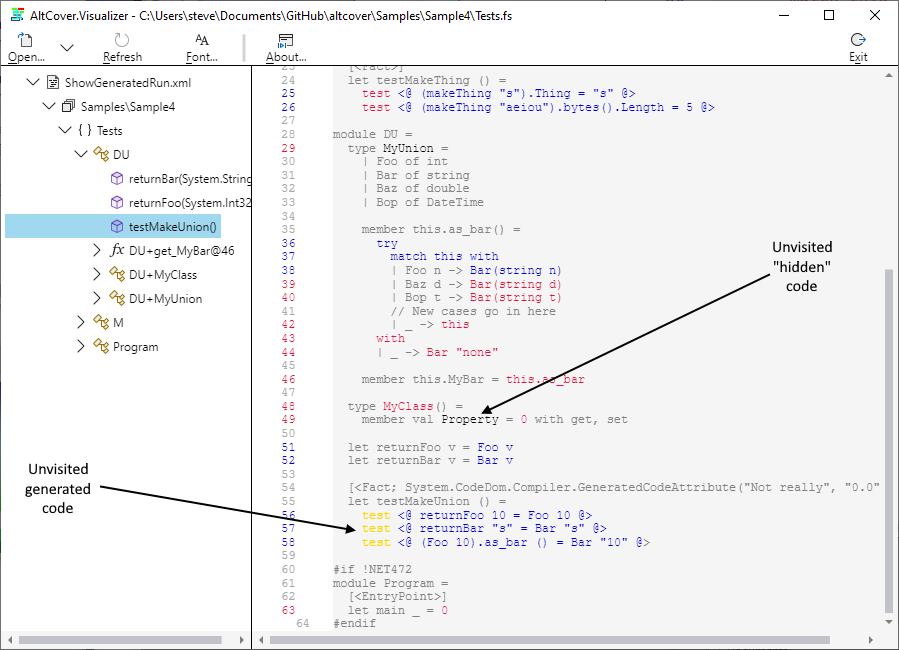
For purposes of demonstration, one test method here has been manually decorated with the [GeneratedCode] attribute; if the system under test uses code generation, marking it as such should be standard practice.
Source display font
From v7.1.783, this visualizer version also offers some limited font selection for source display
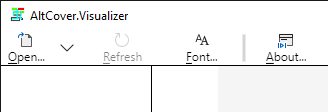
- On Windows, this uses the native
FontChooser()API, restricting to monospace fonts (the default is "Courier New Normal 10") - Otherwise if the Tcl/Tk
wishshell (assumed to be Tcl/Tk v8.6 or later) is on thePATH, the toolbar-icon is also shown. In the latter case, this spawnswishas a separate process to use its cross-platform font selection support; terminating the process when either a font selection is made (e.g. viaOkorApply), or the selection dialog is dismissed. There are no APIs there to restrict the font chooser to monospace fonts, so choose wisely (the default is "Monospace Normal 10")
Continuous Integration
| Build | GitHub  |
| Test coverage | Coveralls  |
Other NuGet Packages in this suite
General purpose install -- excludes the
dotnet testAPI with FAKE and CAKE integration and the AvaloniaUI visualizerAPI install -- excludes the visualizer in all forms
dotnet global tool install -- excludes the visualizer in all forms
FAKE build task utilities -- just AltCover related helper types for FAKE scripts (v5.23.0 or later), only in this package
Cake build task utilities -- just AltCover related helper types for Cake scripts (v2.0.0 or later), only in this package