⚠ Deprecated: Legacy
Suggested alternative: YoloSharp
Use YOLOv8 in real-time for object detection, instance segmentation, pose estimation and image classification, via ONNX Runtime
Get Started
$ dotnet add package YoloV8Readme
YoloV8
Use YOLO11 in real-time for object detection tasks, powered by ONNX Runtime.
Features
- YOLO Tasks 🌟 Support for all YOLO vision tasks (Detect | OBB | Pose | Segment | Classify)
- High Performance 🚀 Various techniques and use of .NET features to maximize performance
- Reduced Memory Usage 🧠 By reusing memory blocks and reducing the pressure on the GC
- Plotting Options ✏️ Draw the predictions on the target image to preview the model results
- YOLO Versions 🔧 Includes support for:
YOLOv8YOLOv10YOLO11
Installation
This project provides two NuGet packages:
- For CPU inference, use the package: YoloV8 (includes the Microsoft.ML.OnnxRuntime package)
- For GPU inference, use the package: YoloV8.Gpu (includes the Microsoft.ML.OnnxRuntime.Gpu package)
Usage
1. Export model to ONNX format:
For convert the pre-trained PyTorch model to ONNX format, run the following Python code:
from ultralytics import YOLO

# Load a model
model = YOLO('path/to/best.pt')

# Export the model to ONNX format
model.export(format='onnx')
2. Load the ONNX model with C#:
Add the YoloV8 (or YoloV8.Gpu) package to your project:
dotnet add package YoloV8
Use the following C# code to load the model and run basic prediction:
using Compunet.YoloV8;

// Load the YOLOv8 predictor
using var predictor = new YoloPredictor("path/to/model.onnx");

// Run model
var result = predictor.Detect("path/to/image.jpg");
// or
var result = await predictor.DetectAsync("path/to/image.jpg");

// Write result summary to terminal
Console.WriteLine(result);
Plotting
You can to plot the target image for preview the model results, this code demonstrates how to run a inference, plot the results on image and save to file:
using Compunet.YoloV8;
using Compunet.YoloV8.Plotting;
using SixLabors.ImageSharp;

// Load the YOLOv8 predictor
using var predictor = new YoloPredictor("path/to/model.onnx");

// Load the target image
using var image = Image.Load("path/to/image");

// Run model
var result = await predictor.PoseAsync(image);

// Create plotted image from model results
using var plotted = await result.PlotImageAsync(image);

// Write the plotted image to file
plotted.Save("./pose_demo.jpg");
You can also predict and save to file in one operation:
using Compunet.YoloV8;
using Compunet.YoloV8.Plotting;
using SixLabors.ImageSharp;

// Load the YOLOv8 predictor
using var predictor = new YoloPredictor("path/to/model.onnx");

// Run model, plot predictions and write to file
predictor.PredictAndSaveAsync("path/to/image");
Example Images:
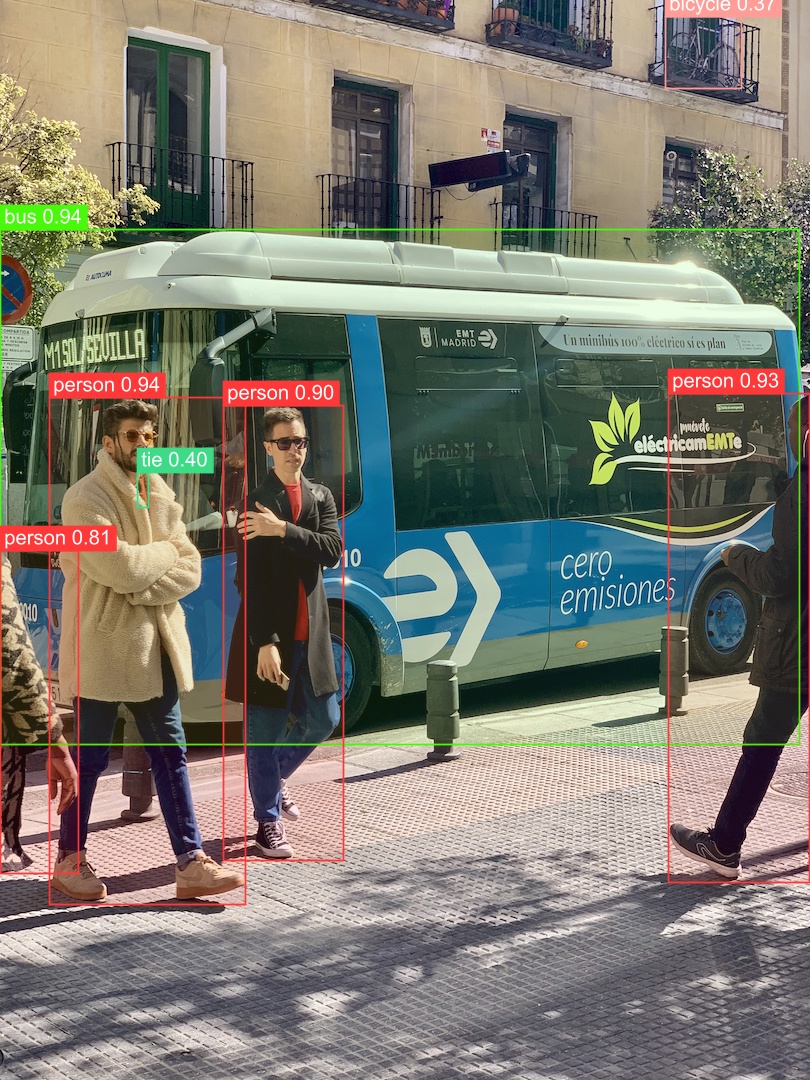
Detection:
Pose:
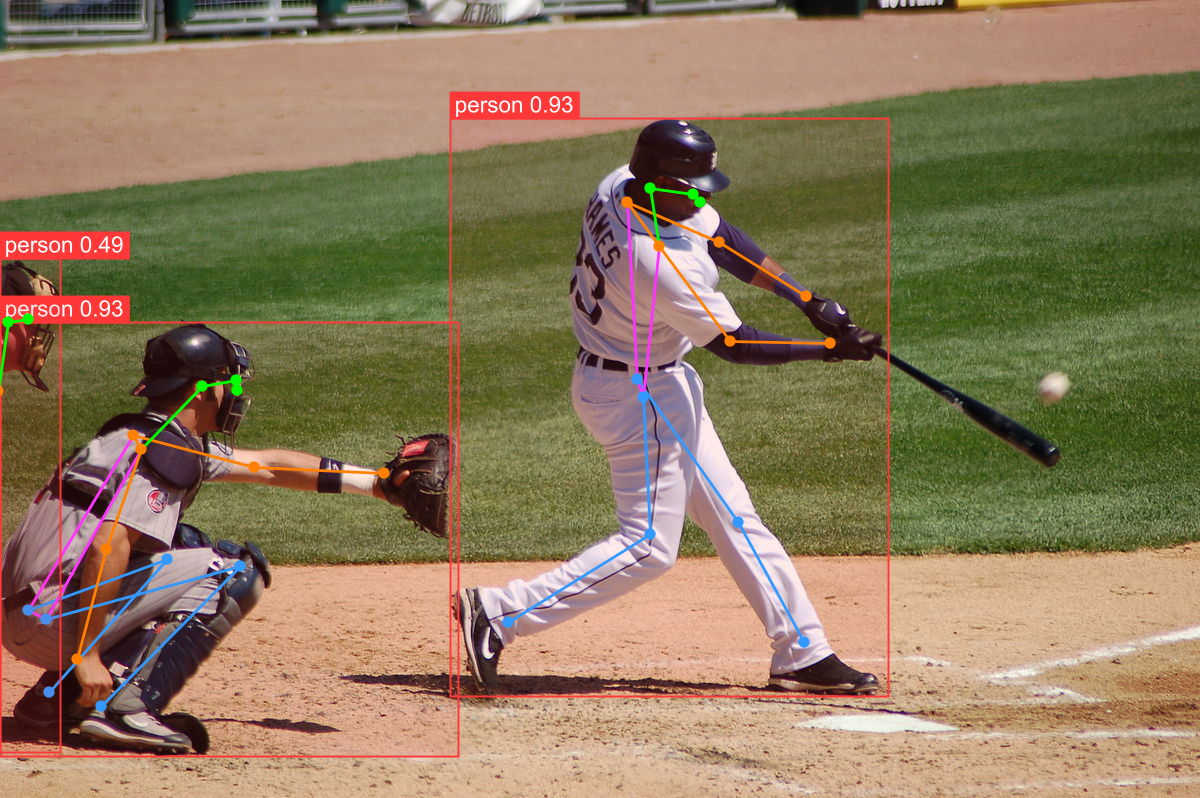
Segmentation:
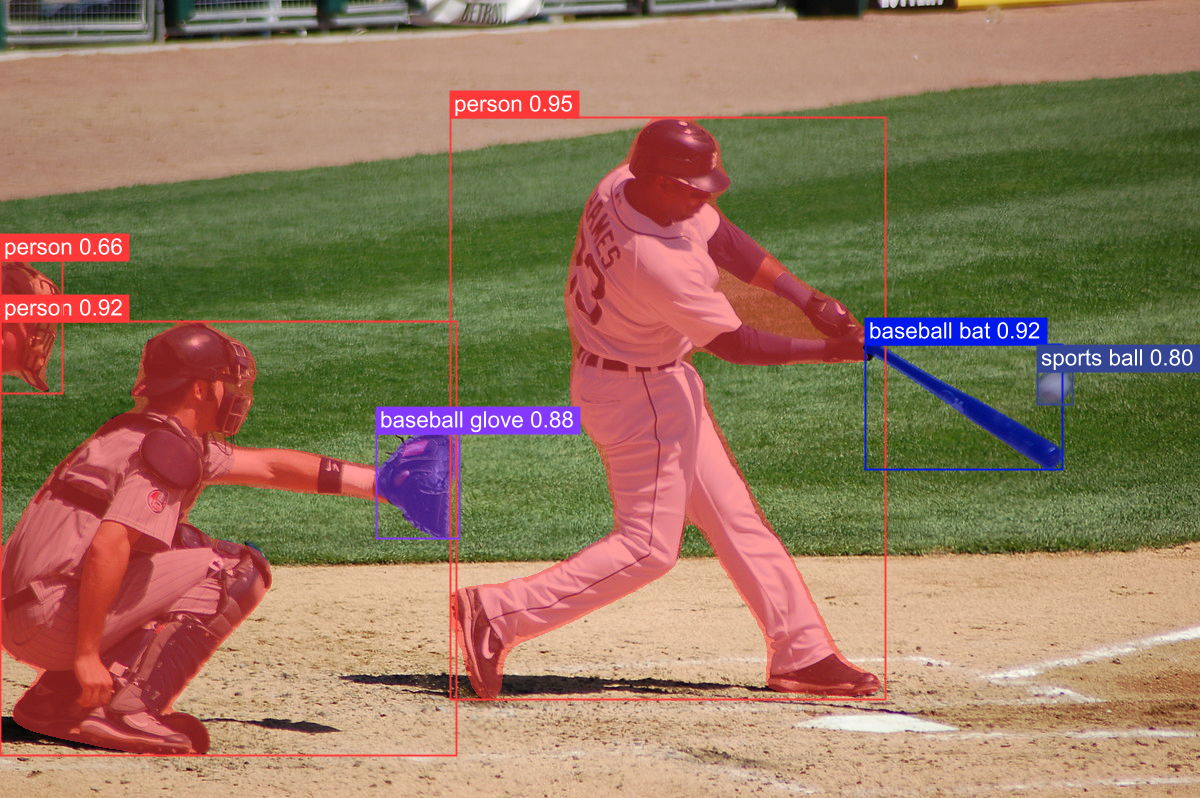
License
AGPL-3.0 License
Important Note: This project depends on ImageSharp, you should check the license details here