Syncfusion® .NET MAUI Charts provides a perfect way to visualize data with a high level of user interactivity that focuses on development, productivity and simplicity of use. Its rich feature set will include functionalities like data binding, multiple axes, animations, data labels, tooltips, selection, and zooming.
$ dotnet add package Syncfusion.Maui.ChartsThis package contains .NET MAUI Cartesian Charts, .NET MAUI Circular Charts, .NET MAUI Funnel Charts, .NET MAUI Pyramid Charts, .NET MAUI Polar Charts components for .NET MAUI application.
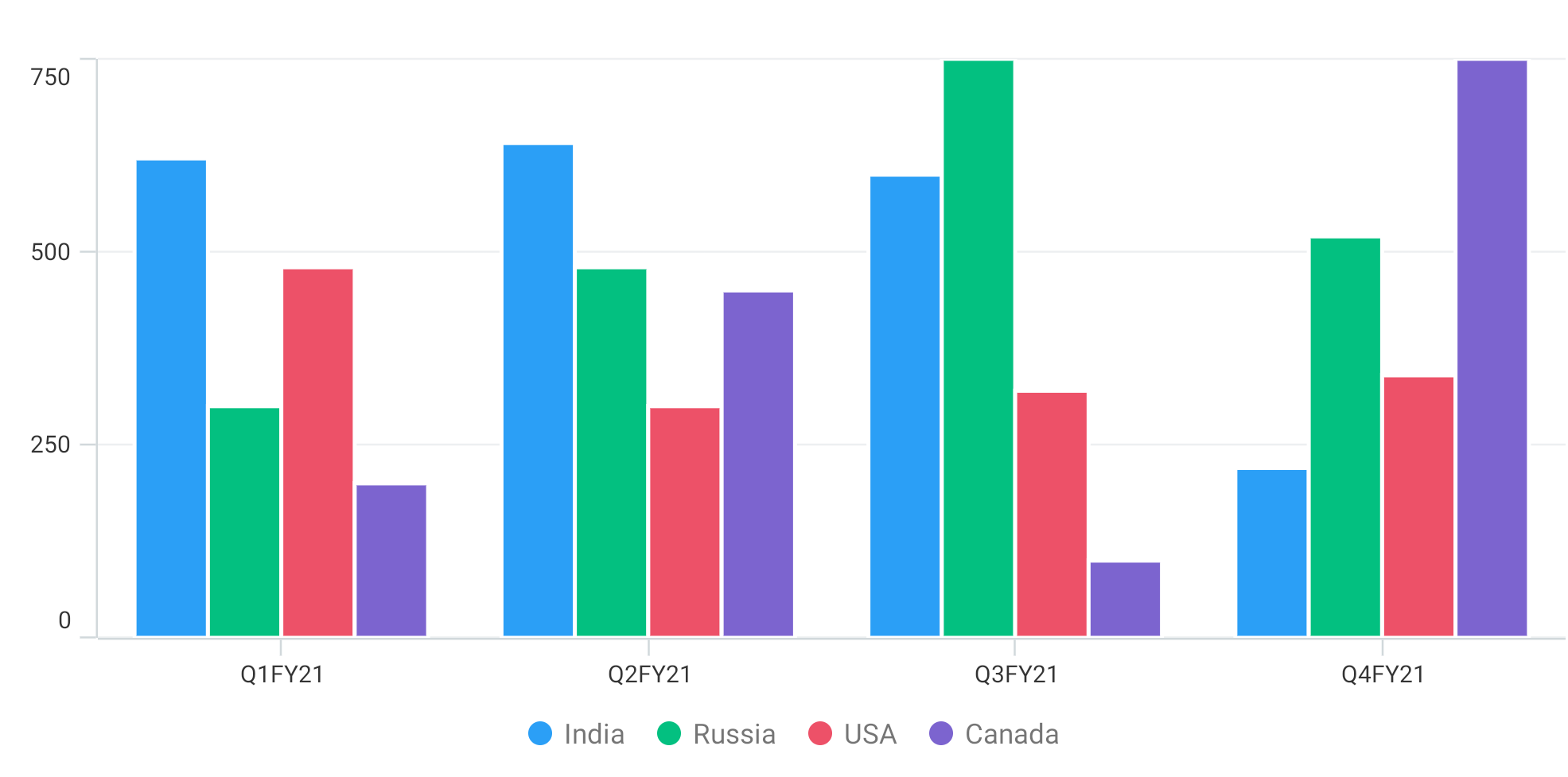
The Syncfusion® .NET Cartesian Chart is a two-dimensional Cartesian coordinate system data visualization tool. It enables users to build and customize the charts, such as line charts, area charts, column charts, scatter charts, and more.
Features Overview | Docs | Online Demo | Support | Forums | Feedback

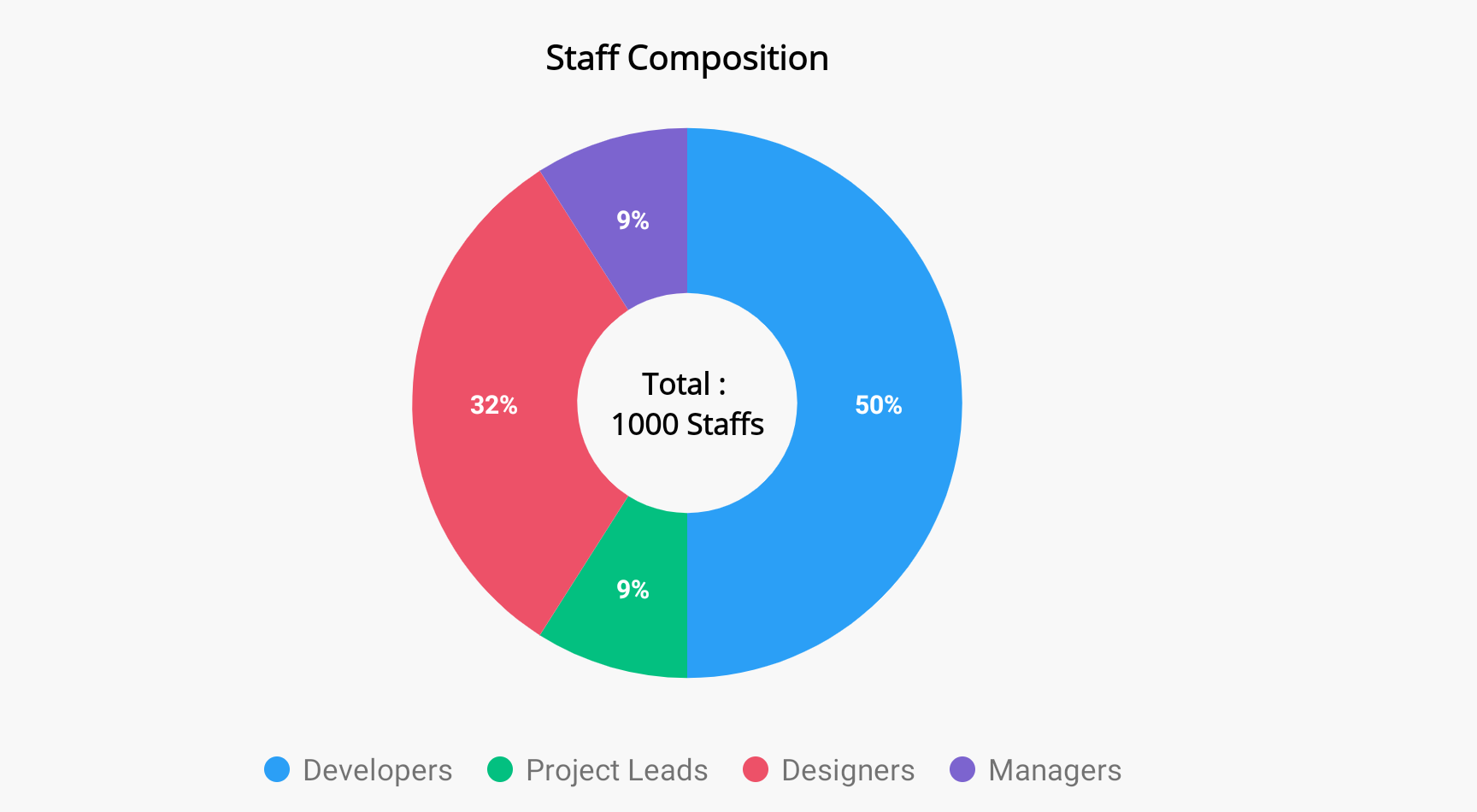
The Syncfusion® .NET MAUI Circular Chart displays data on a circular coordinate system, with sectors, slices, segments, or arcs representing the data. It enables users to build and customize different kinds of circular charts, such as pie charts, doughnut charts, and radial bar charts.
Features Overview | | | | |
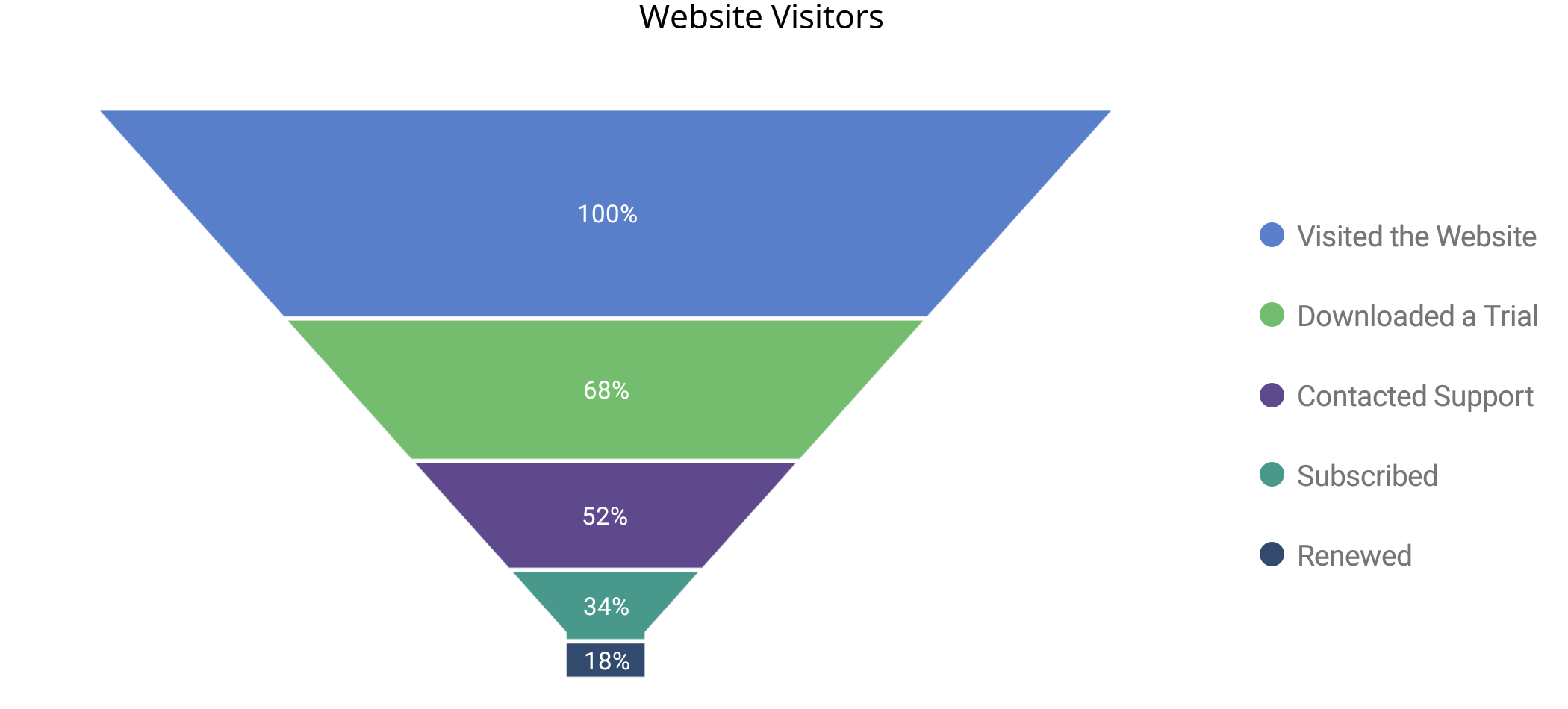
The Syncfusion® .NET MAUI Funnel Chart displays data in the shape of a funnel. The width of the funnel's first (or largest) segment indicates the total number or quantity of data at the start of the process, while the width of the funnel's last (or narrowest) segment indicates number or amount of data that has finished the process.
Features Overview | Docs | Online Demo | Support | Forums | Feedback

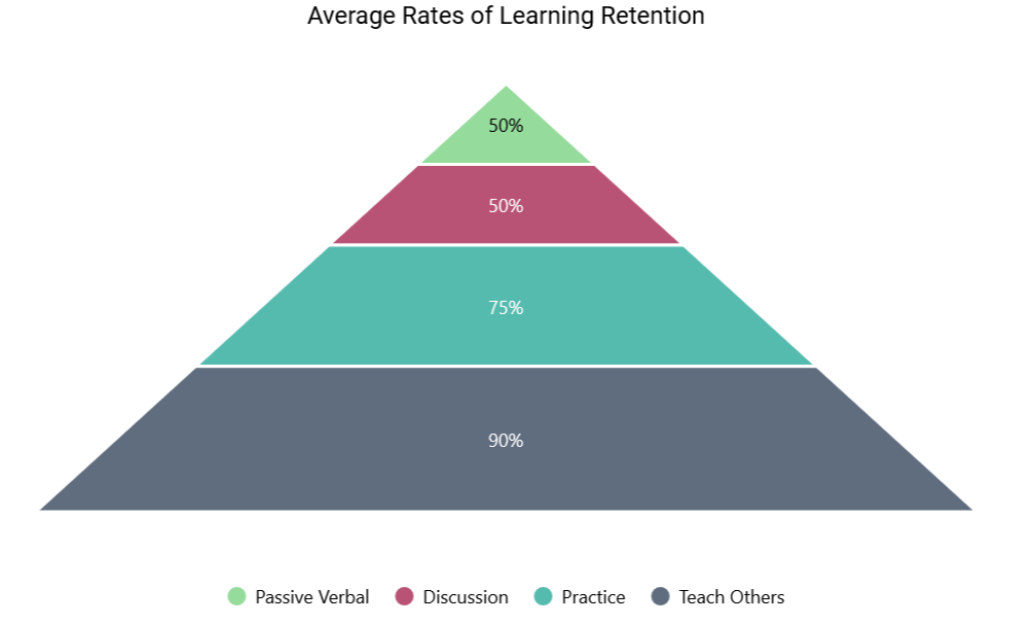
The Syncfusion® .NET MAUI Pyramid Chart displays data in the shape of a pyramid and is widely used to show hierarchical structures or data progression through time. Each segment represents a category or group, and the size of the segment shows the proportion or quantity of data for that category or group.
Features Overview | Docs | Online Demo | Support | Forums | Feedback

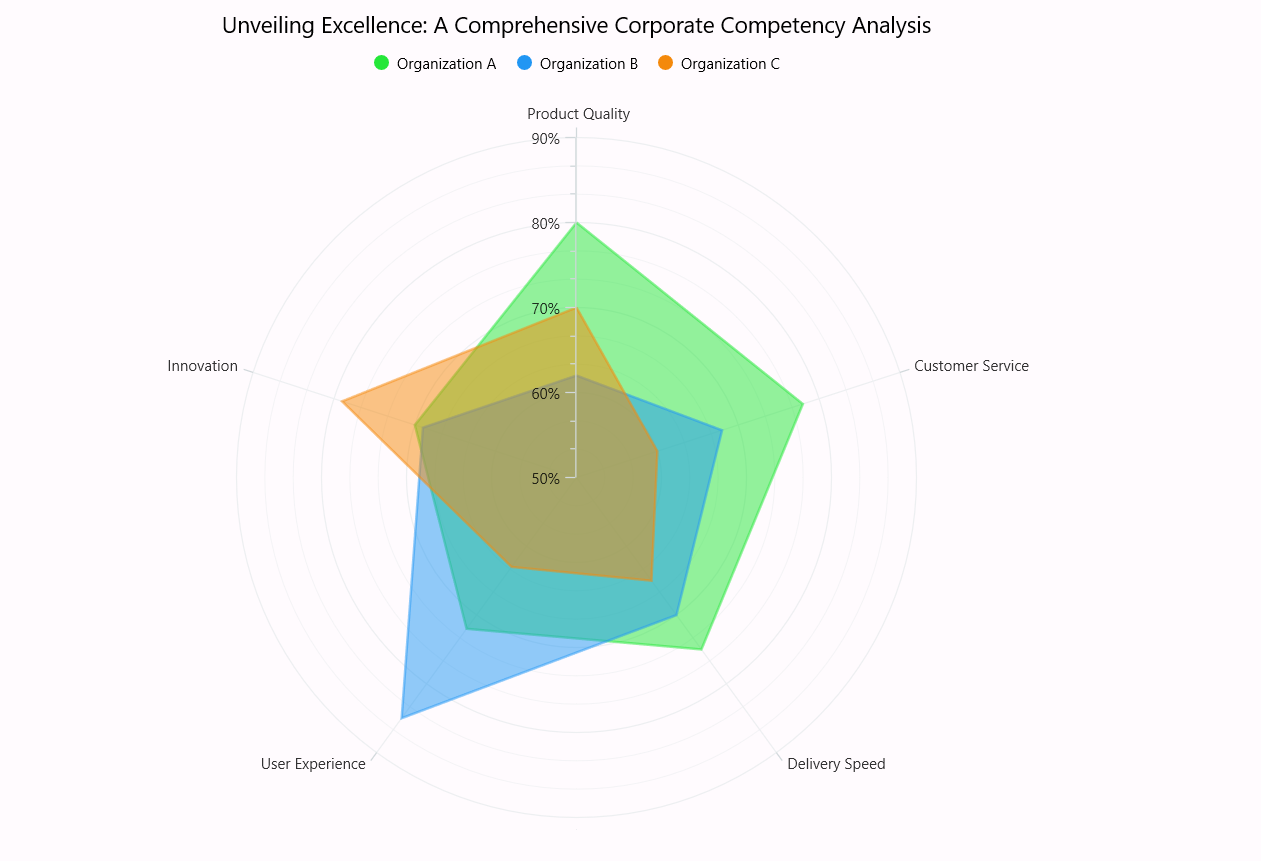
The Syncfusion® .NET MAUI Polar Chart visualizes data in terms of values and angles. It provides options for visually comparing several quantitative or qualitative aspects of a situation.
Features Overview | Docs | Online Demo | Support | Forums | Feedback

This is a commercial product and requires a paid license for possession or use. Syncfusion’s licensed software, including this component, is subject to the terms and conditions of Syncfusion's EULA. You can purchase a license here or start a free 30-day trial here.
Founded in 2001 and headquartered in Research Triangle Park, N.C., Syncfusion® has more than 26,000+ customers and more than 1 million users, including large financial institutions, Fortune 500 companies, and global IT consultancies.
Today, we provide 1600+ components and frameworks for web (Blazor, ASP.NET Core, ASP.NET MVC, ASP.NET WebForms, JavaScript, Angular, React, Vue, and Flutter), mobile (Xamarin, Flutter, UWP, and JavaScript), and desktop development (WinForms, WPF, WinUI, Flutter and UWP). We provide ready-to-deploy enterprise software for dashboards, reports, data integration, and big data processing. Many customers have saved millions in licensing fees by deploying our software.
sales@syncfusion.com | www.syncfusion.com | Toll Free: 1-888-9 DOTNET