pkg
vanKraster/Plugin.Maui.XTiltIndicatorv1.0.1
.NET 9.0-android35.0.NET 9.0-ios18.0.NET 9.0-maccatalyst18.0.NET 9.0-windows10.0.19041
A .NET MAUI plugin that displays a tilt indicator for both horizontal and vertical axes. Device Orientation with Accelerometer
Get Started
$ dotnet add package Plugin.Maui.XTiltIndicatorReadme
Plugin.Maui.XTiltIndicator
XPitchIndicator is a MAUI control for displaying the device's tilt (pitch) in both horizontal and vertical axes. It supports two display modes: Gauge (semi-circular arc with indicator) and Bars (horizontal/vertical bars). Ideal for flight simulators, technical instruments, HUDs, or any app that needs to visualize device orientation.
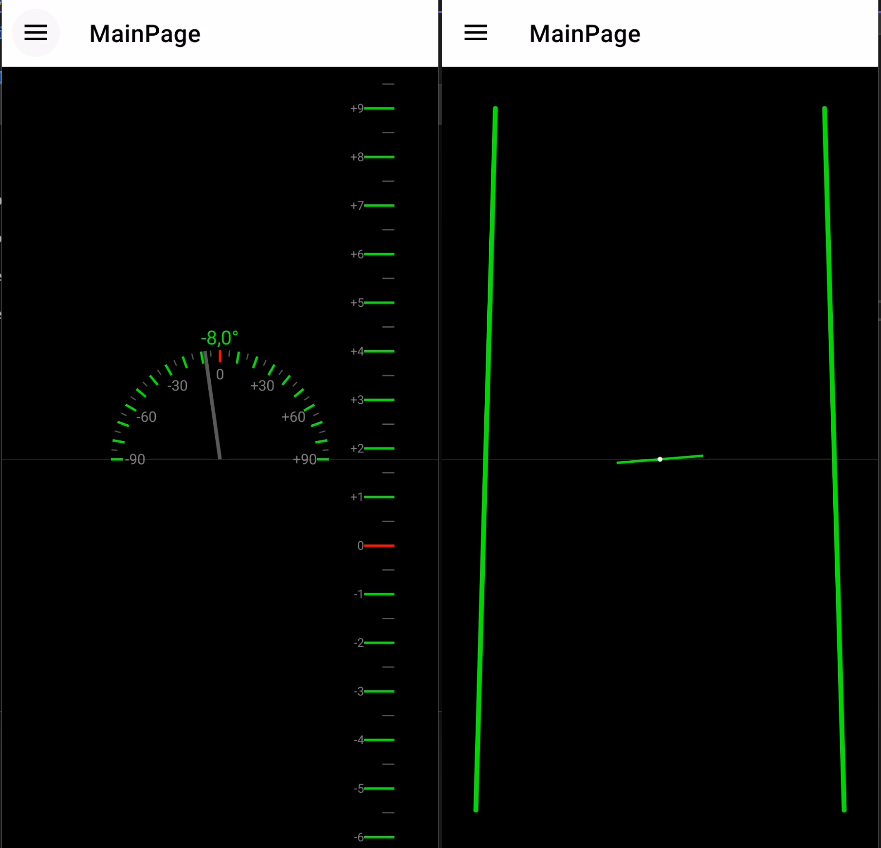
Features
- Supports HorizontalPitch and VerticalPitch.
- Display modes: Gauge or Bars.
- Customizable colors for the indicator and zero line.
- Optional numeric display of pitch value.
- Smooth motion with easing (
lerp) for natural transitions. - Built on GraphicsView for optimal performance.
- Uses the device accelerometer to calculate pitch angles.
Installation
Install via NuGet:
dotnet add package Plugin.Maui.XTiltIndicator --version 1.0.1
Configuration
Add UseXTiltIndicator() inside MauiProgram >>> MauiApp CreateMauiApp()
     public static MauiApp CreateMauiApp() {
        var builder = MauiApp.CreateBuilder();
        builder
            .UseMauiApp<App>()
            .UseXTiltIndicator() //<<< This line
You can customize the control by setting its bindable properties in XAML or C#.
Example XAML
<Grid BackgroundColor="White">
    <xctrls:XPitchIndicator
        HorizontalOptions="Fill"
        VerticalOptions="Fill"
        PitchColor="Red"
        PitchZeroColor="Lime"
        HorizontalPitch="Gauge"
        VerticalPitch="Gauge"
        ShowHorizontalPitchValue="False"/>

    <Label Text="Your content" HorizontalOptions="Center" />
</Grid>