AI functionality for IronPdf, including document summary, document queries, and more!
Get Started
$ dotnet add package IronPdf.Extensions.AIReadme


%20-107C10?logo=visualstudio)



IronPDF - Create, Edit, and Read PDFs in .NET Applications

Get Started | Features | How-Tos | Code Examples | Licensing | Free Trial
IronPDF is a library developed and maintained by Iron Software that helps C# Software Engineers to create, edit and extract PDF content in projects in .NET.
IronPDF excels at:
- Generating PDFs from: HTML, URL, JavaScript, CSS and many image formats
- Adding headers/footers, signatures, attachments, and passwords and security
- Performance optimization: Full Multithreading and Async support
- Embeddable PDF Viewer, and other extensions for MAUI and ASP.NET
- And many more! Visit our website to see all our code examples and a full list of our 50+ features
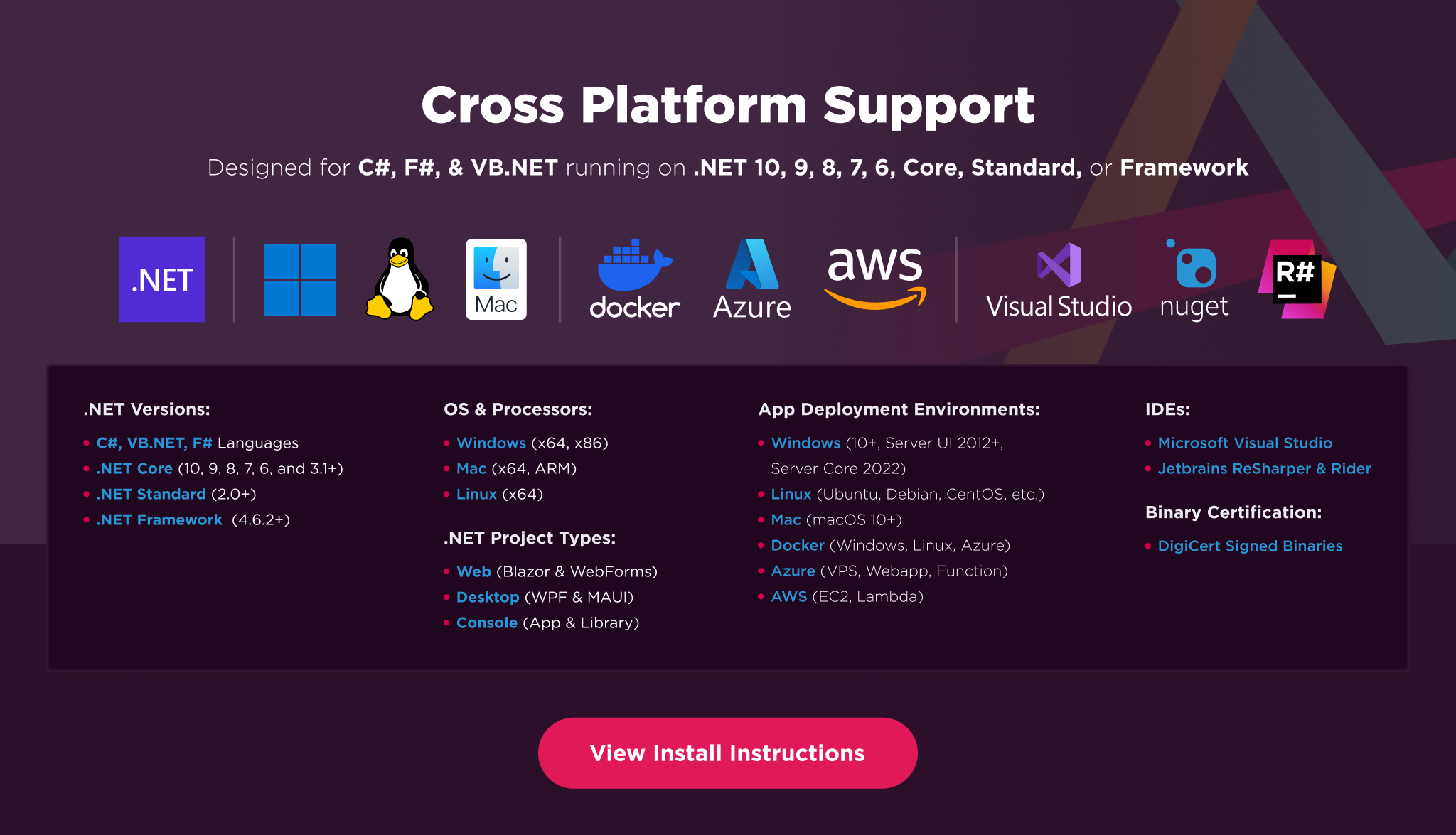
IronPDF has cross platform support compatibility with:
- .NET 8, .NET 7, .NET 6, .NET 5, and .NET Core, Standard, and Framework
- Windows, macOS, Linux, Docker, Azure, and AWS
- Console, Desktop, and Web Apps. MVC, Blazor, MAUI, Razor Pages, Web Forms
Additionally, our API reference and full licensing information can easily be found on our website.
Using IronPDF
Installing the IronPDF NuGet package is quick and easy, please install the package like this:
PM> Install-Package IronPdf
Once installed, you can get started by adding using IronPdf to the top of your C# code. Here is a sample HTML to PDF example to get started:
// HTML to PDF
using IronPdf;

var renderer = new ChromePdfRenderer(); // Instantiates Chrome Renderer
var pdf = renderer.RenderHtmlAsPdf(" <h1> ~Hello World~ </h1> Made with IronPDF!");
pdf.SaveAs("html_saved.pdf"); // Saves our PdfDocument object as a PDF
And another option is to create from URL to PDF:
// URL to PDF
using IronPdf;

var renderer = new ChromePdfRenderer(); // Instantiates Chrome Renderer

// To include elements that are usually removed to save ink during printing we choose screen
renderer.RenderingOptions.CssMediaType = IronPdf.Rendering.PdfCssMediaType.Screen;

var pdf = renderer.RenderUrlAsPdf("https://ironpdf.com/");
pdf.SaveAs("url_saved.pdf");
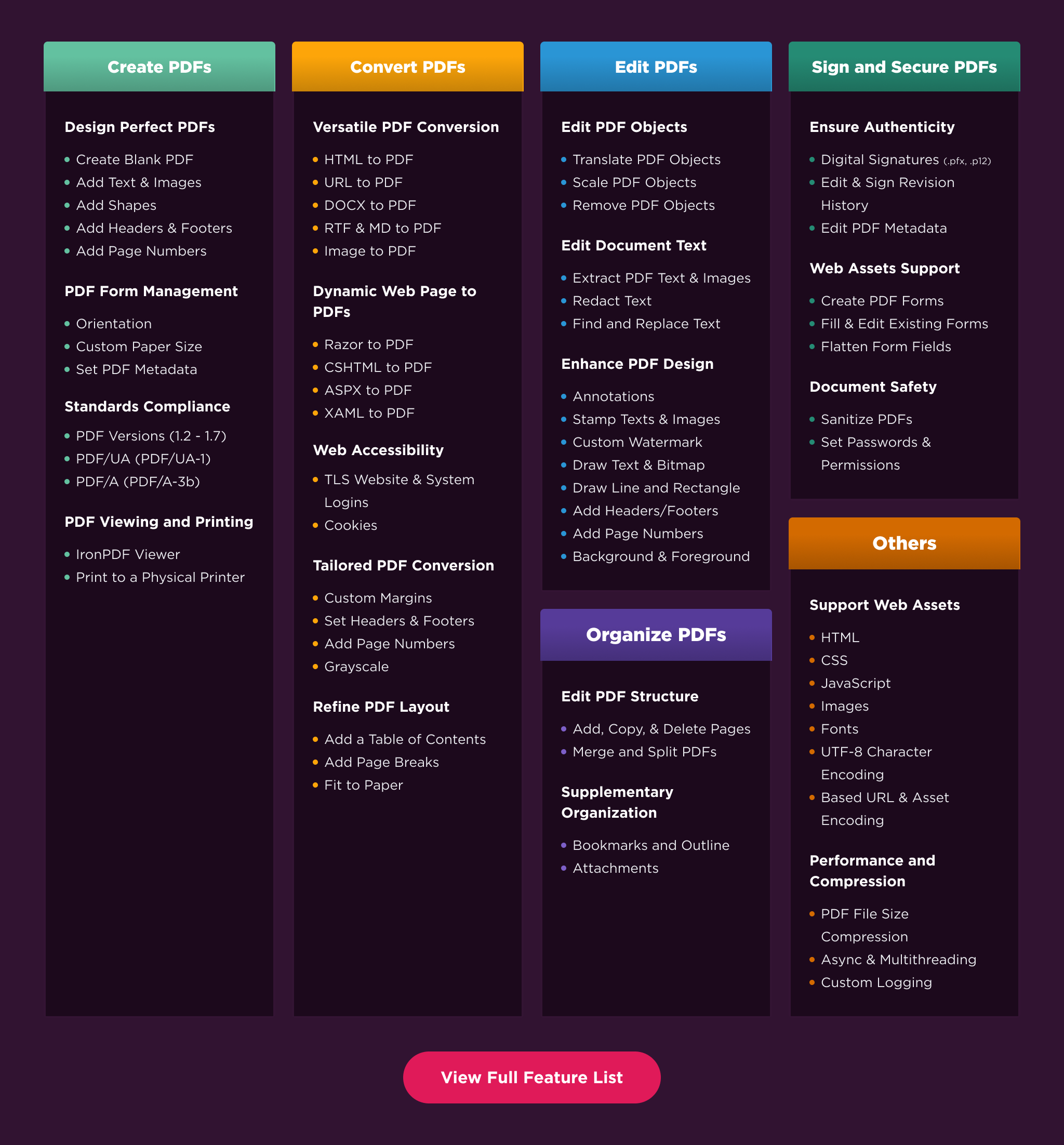
Features Table
Licensing & Support Available
For our full list of code examples, tutorials, licensing information, and documentation visit: https://ironpdf.com/
For more support and inquiries, please email us at: support@ironsoftware.com
Documentation Links
- How-To Guides : https://ironpdf.com/how-to/
- Live Demos : https://ironpdf.com/demos/
- Code Examples : https://ironpdf.com/examples/
- API Reference : https://ironpdf.com/object-reference/api/
- Tutorials : https://ironpdf.com/tutorials/
- Licensing : https://ironpdf.com/licensing/
- Live Chat Support : https://ironpdf.com/#helpscout-support