Jon2G/InternationalPhoneEntry-MAUIv1.0.0
.NET 8.0.NET 8.0-android34.0.NET 8.0-ios18.0.NET 8.0-maccatalyst18.0
Customised text field to take phone number input for any country along with an option to choose country code from a dropdown
Get Started
$ dotnet add package InternationalPhoneEntry-MAUIReadme
InternationalPhoneEntry-MAUI
A customised Entry to input international phone number along with country code.

This nuget can be used to make customised text field to take phone number input for any country along with an option to choose country code from a dropdown.
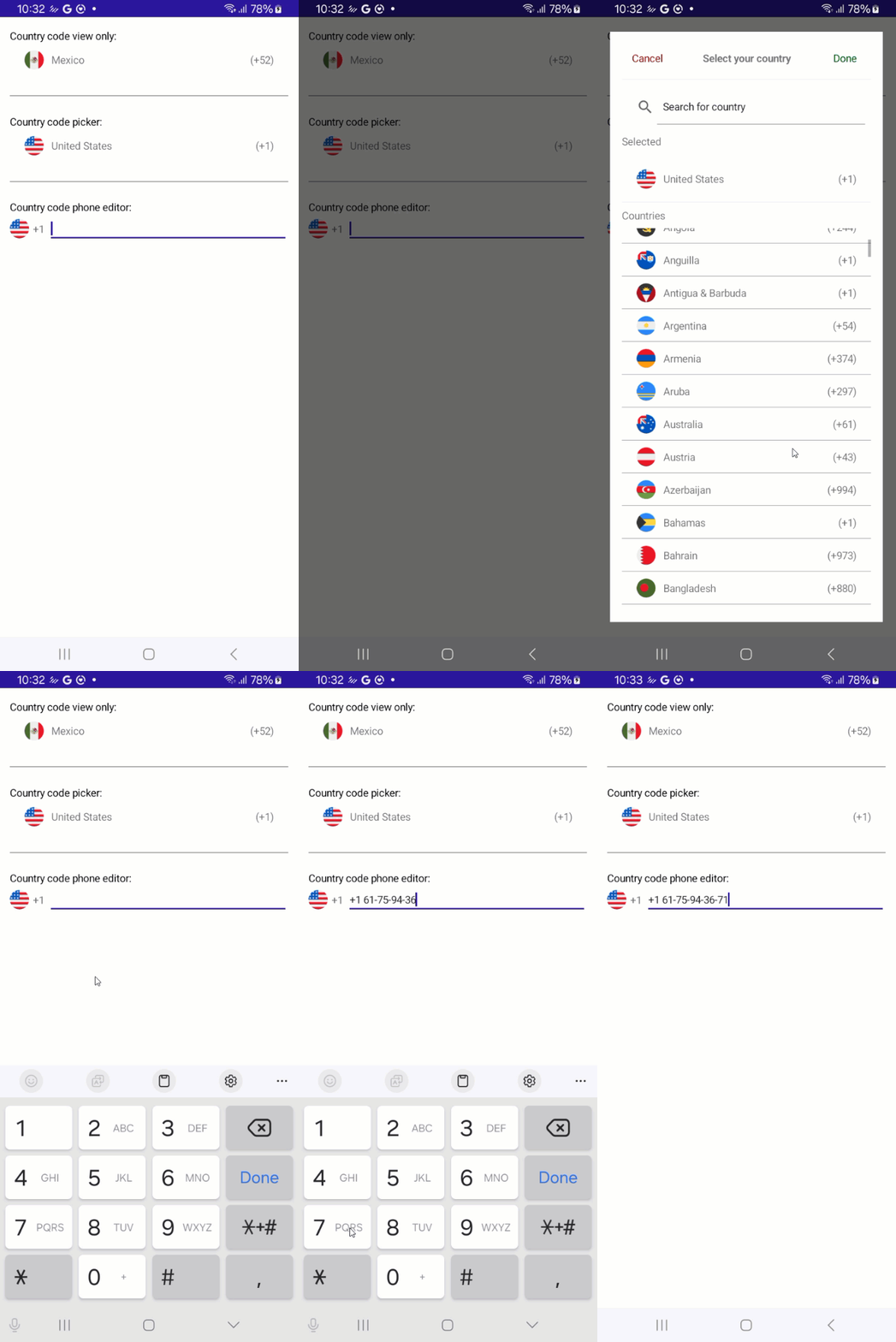
Usage:
 <VerticalStackLayout Padding="16" Spacing="25">

     <VerticalStackLayout Spacing="0">
         <Label Style="{StaticResource LabelStyle}" Text="Country code view only:" />
         <ipe:CountryCodeView TwoLetterISORegionName="MX" />

     </VerticalStackLayout>
     <BoxView BackgroundColor="Gray" HeightRequest="1" />
     <VerticalStackLayout Spacing="0">
         <Label Style="{StaticResource LabelStyle}" Text="Country code picker:" />

         <ipe:CountryPicker CloseOnSelect="True" />

     </VerticalStackLayout>
     <BoxView BackgroundColor="Gray" HeightRequest="1" />
     <VerticalStackLayout Spacing="0">
         <Label Style="{StaticResource LabelStyle}" Text="Country code phone editor:" />
         <ipe:PhoneEntry CloseOnSelect="True" />
     </VerticalStackLayout>

 </VerticalStackLayout>