A cross-platform .NET library that intelligently trims PDF pages to actual content using content-based or bitmap-based analysis. Supports Windows, Linux, macOS and other .NET-compatible platforms. Perfect for preparing e-books and documents by removing excessive margins and whitespace.
DimonSmart.PdfCropper is a cross-platform .NET library that intelligently trims PDF pages to actual content using two different methods.
The library exposes a simple API through PdfSmartCropper.CropAsync, which accepts a PDF document in memory and returns a new PDF with recalculated CropBox and TrimBox on every non-empty page.
Example
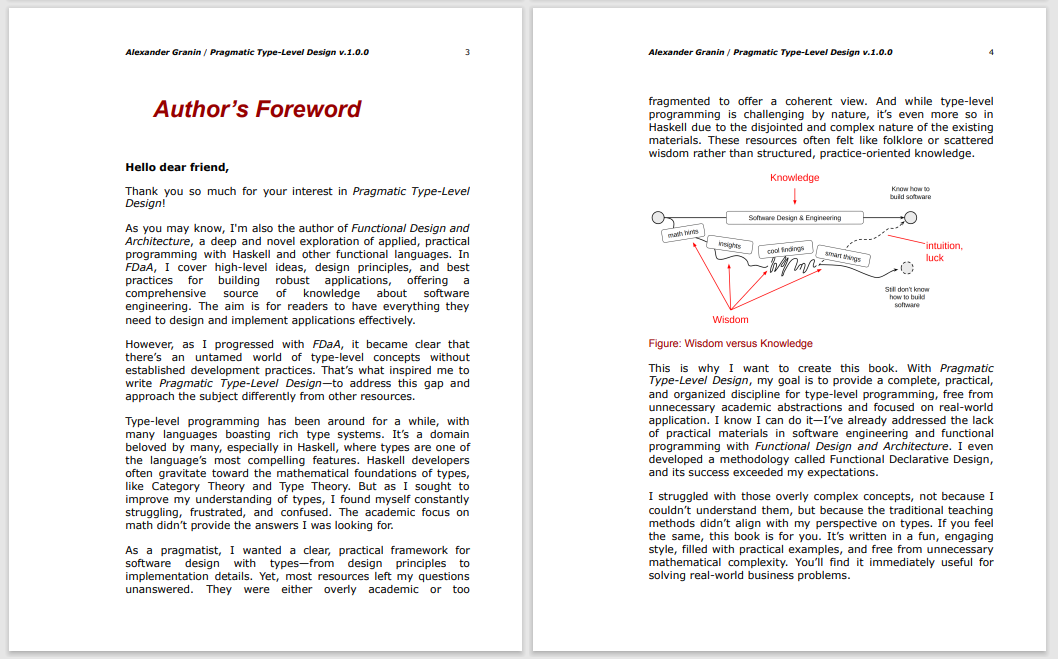
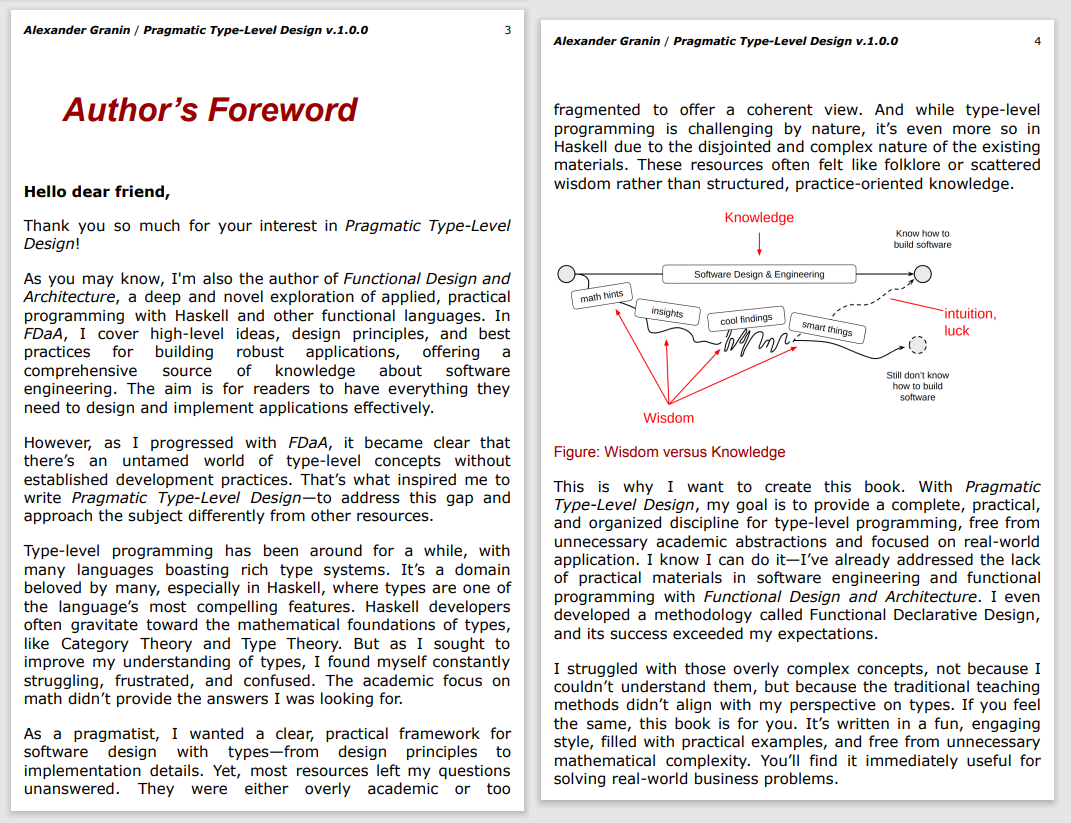
Here's a visual example of what PdfCropper does - it removes unnecessary margins and whitespace:
The CLI utility is particularly useful for reading e-books with minimal margins, making them more comfortable to read on tablets and e-readers by removing excessive whitespace around the content.
Download the CLI
Need the tool without compiling it yourself? Grab the latest self-contained Windows build here:
Full compression, smart mode, unused-object removal, metadata cleanup, PDF 1.7 target.
Retrieve a profile via PdfCropProfiles.Simple, PdfCropProfiles.Ebook, or PdfCropProfiles.Aggressive. You can also resolve a profile dynamically by key: PdfCropProfiles.TryGet("ebook", out var profile).
Custom logger
using DimonSmart.PdfCropper;

public sealed class MyLogger : IPdfCropLogger
{
    public void LogInfo(string message) => Console.WriteLine($"[INFO] {message}");
    public void LogWarning(string message) => Console.WriteLine($"[WARN] {message}");
    public void LogError(string message) => Console.Error.WriteLine($"[ERROR] {message}");
}

var logger = new MyLogger();
byte[] cropped = await PdfSmartCropper.CropAsync(inputBytes, CropSettings.Default, logger);
Every overload throws PdfCropException with a PdfCropErrorCode when the input PDF is invalid, encrypted, or fails to process.
Command Line Utility
The repository includes a console application that wraps the library. This CLI tool is especially useful for preparing e-books and documents for comfortable reading on tablets and e-readers by removing excessive margins and whitespace.
Perfect for e-book readers: Transform PDF books with large margins into reader-friendly versions that utilize screen space more efficiently.
# Run the ready-made Windows build (download link above)
DimonSmart.PdfCropper.Cli.exe input.pdf output.pdf

# Use the e-book preset (ignores edge artefacts, keeps 1pt margin)
DimonSmart.PdfCropper.Cli.exe input.pdf output.pdf --preset ebook

# Apply the aggressive preset with verbose logging
DimonSmart.PdfCropper.Cli.exe input.pdf output.pdf --preset aggressive -v

# Emit detailed diagnostics for a single page
DimonSmart.PdfCropper.Cli.exe input.pdf output.pdf --debug-page 2

# Apply per-side margins
DimonSmart.PdfCropper.Cli.exe input.pdf output.pdf --margin-left 1 --margin-right 3 --margin-top 2 --margin-bottom 0.5

# Merge multiple PDFs matched by a mask into a single output
DimonSmart.PdfCropper.Cli.exe "scans/*.pdf" merged/scans.pdf --merge

# From source (cross-platform)
dotnet run --project src/DimonSmart.PdfCropper.Cli/DimonSmart.PdfCropper.Cli.csproj -- input.pdf output.pdf --preset simple
CLI Options
--preset <simple|ebook|aggressive> - Apply a predefined set of crop/optimisation options
-m, --method <0|1> - Cropping method:
0 = ContentBased (default, analyzes PDF content)
1 = BitmapBased (renders to image, slower but more accurate)
--margin <points> - Uniform safety margin in points around content (default: 0.5)
--margin-left <points> - Left safety margin in points
--margin-bottom <points> - Bottom safety margin in points
--margin-right <points> - Right safety margin in points
--margin-top <points> - Top safety margin in points
--merge - Crop every matched input and merge the results into a single PDF. Requires an explicit output file path without wildcards.
-v, --verbose - Enable verbose logging
--debug-page <n> - Emit extended diagnostics for a single page (1-based index). Enables info logging if none is set.
All low-level switches (--margin, --margin-left, --compression-level, --smart, etc.) remain available to fine-tune or override a preset
Tip: When using --merge, the output argument must be a file (for example merged/book.pdf). Directory paths or wildcard masks are not allowed because the tool produces one PDF.
Cropping Methods Comparison
Feature
ContentBased
BitmapBased
Speed
⚡ Fast
🐌 Slower
Quality
✅ Preserves vector quality
✅ Preserves vector quality
Accuracy
Good for standard documents
Better for complex layouts
Use case
Most PDFs
PDFs with complex graphics
Development
Library target frameworks: .NET 8.0, .NET 9.0
Cross-platform support: Windows, Linux, macOS, and other Unix systems
Dependencies:
iText 9.3.0 (PDF manipulation)
PDFtoImage 5.1.1 (PDF to bitmap rendering) - includes native libraries for all platforms