AsyncFixer detects common async/await anti-patterns and, when possible, offers automatic fixes. It currently reports 6 categories of async/await misuse and provides code fixes for 3 of them. It has been validated against thousands of open-source C# projects and is designed to handle tricky real-world edge cases. Tool-friendly diagnostics support AI-assisted workflows even when a built-in code fix is not available.
AsyncFixer helps developers find and correct common async/await misuses (anti-patterns) and, when possible, offers automatic fixes. It currently reports 6 categories of async/await misuse and provides code fixes for 3 of them. It has been validated against thousands of open-source C# projects and is designed to handle tricky real-world edge cases. Tool-friendly diagnostics support AI-assisted workflows even when a built-in code fix is not available. It is a popular open-source Roslyn analyzer for improving async/await code quality.
Installation
NuGet (Recommended): Install as a project-local analyzer that participates in builds:
dotnet add package AsyncFixer
Or via Package Manager:
Install-Package AsyncFixer
VSIX: Install as a Visual Studio extension from the VS Marketplace.
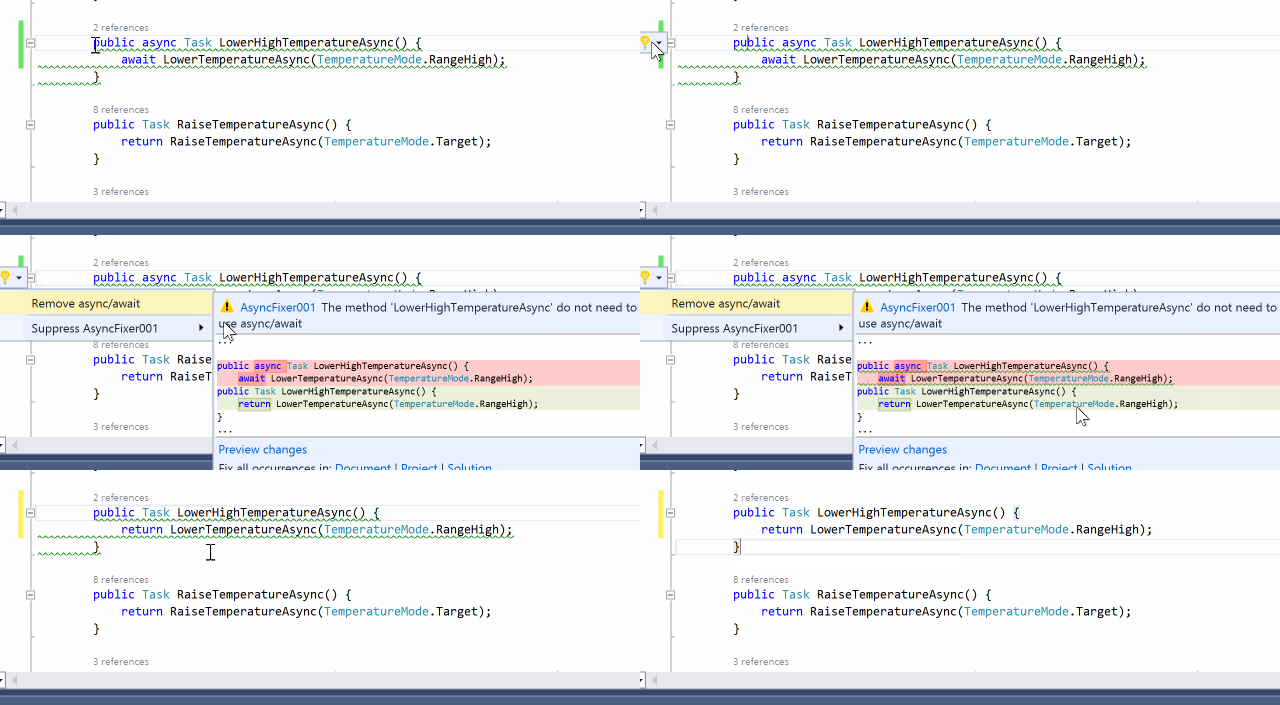
There are some async methods where there is no need to use async/await keywords. It is important to detect this kind of misuse because adding the async modifier comes at a price. AsyncFixer automatically removes async/await keywords from those methods.
Note: Keep async/await when you need exception handling around the await, when there are multiple awaits, or when the method is inside a using or try block.
AsyncFixer02
Long-running or blocking operations inside an async method
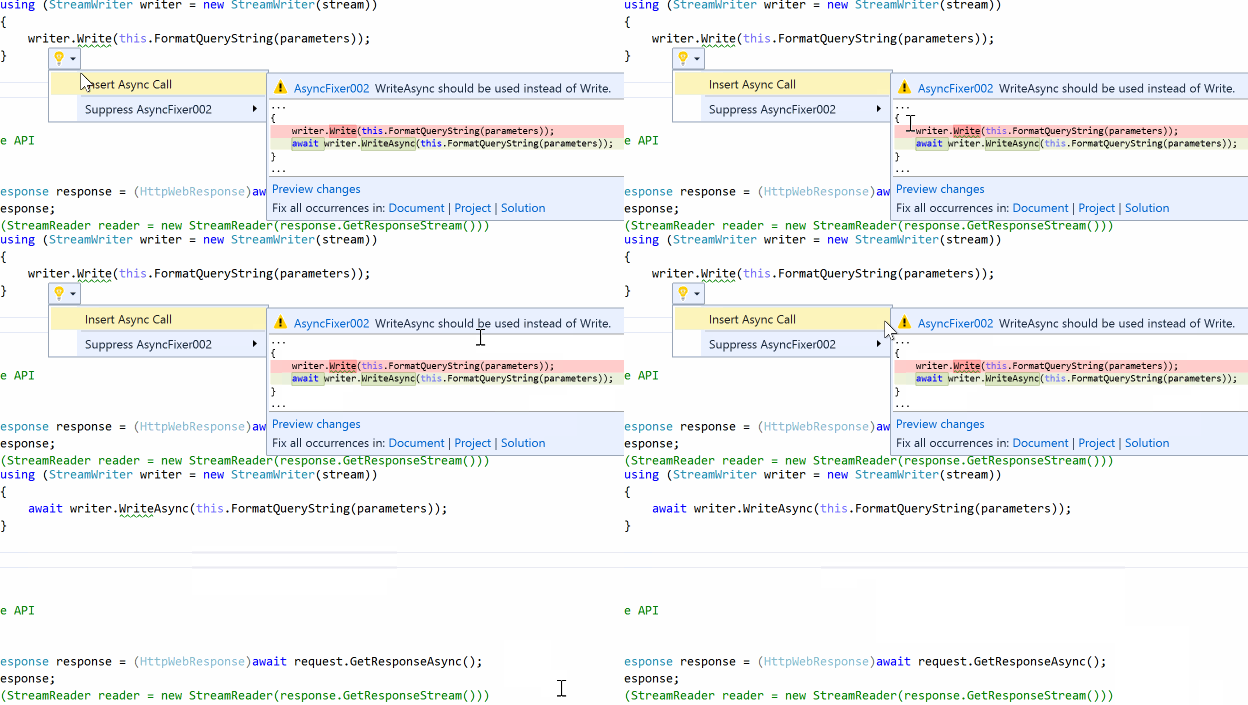
Developers use some potentially long-running or blocking operations inside async methods even though there are corresponding asynchronous versions of these methods in .NET or third-party libraries.
Common blocking calls and their async replacements:
Blocking Call
Async Replacement
Task.Wait()
await task
Task.Result
await task
Task.WaitAll()
await Task.WhenAll()
Task.WaitAny()
await Task.WhenAny()
Thread.Sleep()
await Task.Delay()
StreamReader.ReadToEnd()
await StreamReader.ReadToEndAsync()
Example:
// ❌ Bad: Blocking call can cause deadlocks
async Task ProcessAsync()
{
    var result = GetDataAsync().Result;  // Blocks!
    Thread.Sleep(1000);                   // Blocks!
}

// ✅ Good: Use async equivalents
async Task ProcessAsync()
{
    var result = await GetDataAsync();
    await Task.Delay(1000);
}
AsyncFixer03
Fire-and-forget async-void methods and delegates
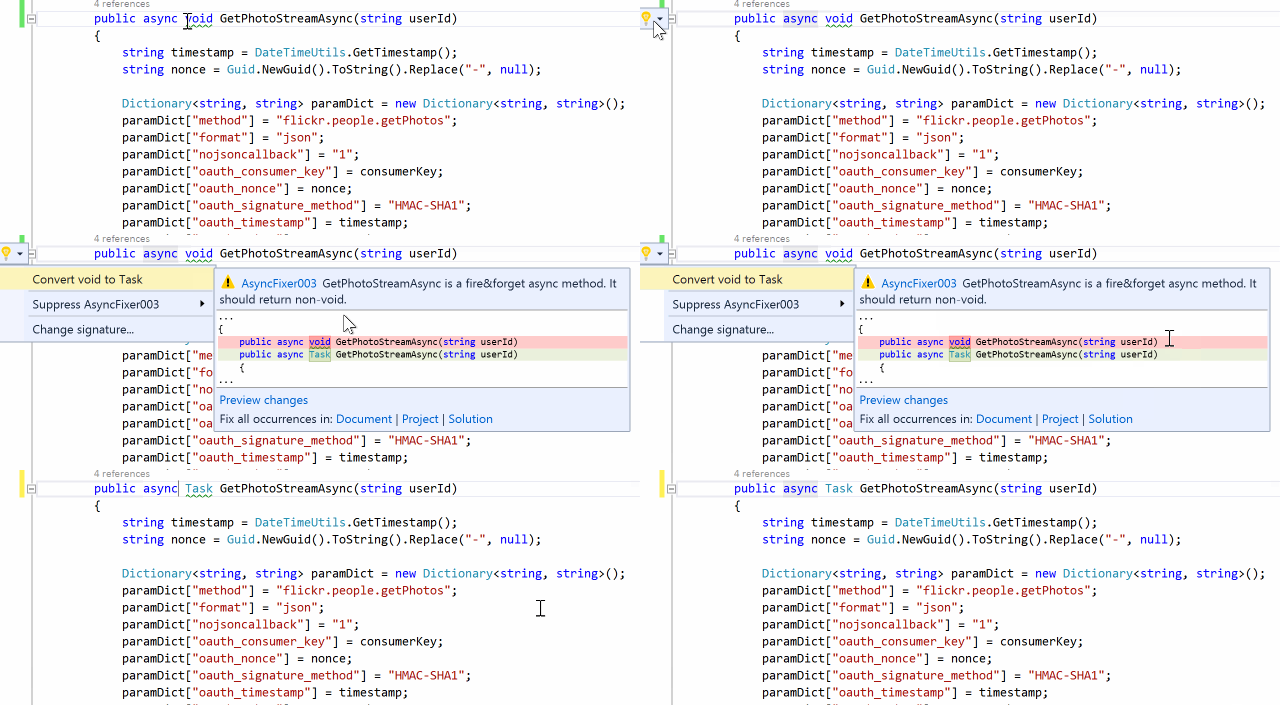
Some async methods and delegates are fire-and-forget, which return void. Unless a method is only called as an event handler, it must be awaitable. Otherwise, it is a code smell because it complicates control flow and makes error detection/correction difficult. Unhandled exceptions in those async-void methods and delegates will crash the process.
Example:
// ❌ Bad: async void - exceptions will crash the process
async void ProcessDataAsync()
{
    await Task.Delay(1000);
    throw new Exception("Oops!"); // Crashes the app!
}

// ✅ Good: async Task - exceptions can be caught
async Task ProcessDataAsync()
{
    await Task.Delay(1000);
    throw new Exception("Oops!"); // Can be caught by caller
}
Note:async void is acceptable for event handlers like button_Click.
AsyncFixer04
Fire-and-forget async call inside an using block
Inside a using block, developers insert a fire-and-forget async call which uses a disposable object as a parameter or target object. It can cause potential exceptions or wrong results because the resource may be disposed before the async operation completes.
Example:
// ❌ Bad: Stream disposed before copy completes
using (var stream = new FileStream("file.txt", FileMode.Open))
{
    stream.CopyToAsync(destination);  // Fire-and-forget!
}  // stream disposed here - CopyToAsync may still be running!

// ✅ Good: Await the async operation
using (var stream = new FileStream("file.txt", FileMode.Open))
{
    await stream.CopyToAsync(destination);
}
AsyncFixer05
Downcasting from a nested task to an outer task
Downcasting from a nested task to a task or awaiting a nested task is dangerous. There is no way to wait for and get the result of the child task. This usually occurs when mixing async/await keywords with the old threading APIs such as TaskFactory.StartNew.
Example:
// ❌ Bad: StartNew returns Task<Task>, outer await completes immediately
async Task ProcessAsync()
{
    Console.WriteLine("Hello");
    await Task.Factory.StartNew(() => Task.Delay(1000)); // Returns Task<Task>!
    Console.WriteLine("World");  // Prints immediately, doesn't wait 1 second
}

// ✅ Good: Use Unwrap() or Task.Run()
async Task ProcessAsync()
{
    Console.WriteLine("Hello");
    await Task.Factory.StartNew(() => Task.Delay(1000)).Unwrap();
    // Or simply:
    await Task.Run(() => Task.Delay(1000));
    Console.WriteLine("World");  // Waits 1 second
}
Use Unwrap(): await Task.Factory.StartNew(() => Task.Delay(1000)).Unwrap();
Use Task.Run(): await Task.Run(() => Task.Delay(1000));(preferred)
AsyncFixer06
Discarded Task<T> result when converted to Task
When a non-async lambda or delegate returns Task<T> but is assigned to a Func<Task> or similar delegate type expecting Task, the result value is silently discarded. This is because Task<T> implicitly converts to Task, but the generic result is lost.
Note: For async lambdas, the compiler catches this with error CS8031. However, for non-async lambdas, there is no warning - the conversion happens silently.
Example:
// ❌ Bad: Task<string> silently converted to Task, result discarded
Func<Task> fn = () => GetDataAsync();  // GetDataAsync returns Task<string>
await fn();  // The string result is lost!

// ✅ Good: Use correct delegate type
Func<Task<string>> fn = () => GetDataAsync();
var result = await fn();

// ✅ Also Good: Explicit discard if you don't need the result
Func<Task> fn = async () => { _ = await GetDataAsync(); };
FAQ
Should I always follow AsyncFixer01? What are the benefits of eliding async/await?
Yes, in most cases. Removing unnecessary async/await provides real benefits:
Benefits of eliding async/await:
Performance: Avoids allocating a state machine object for every call. In hot paths, this reduces GC pressure and improves throughput.
Reduced overhead: Eliminates the state machine's MoveNext() invocations and task wrapping/unwrapping.
Simpler IL: The compiled code is smaller and more straightforward.
Consistent behavior: When you just pass through a task, the behavior is identical to the underlying method.
// ❌ Unnecessary overhead - allocates state machine
async Task<User> GetUserAsync(int id) => await _repository.GetUserAsync(id);

// ✅ Direct passthrough - no allocation, same behavior
Task<User> GetUserAsync(int id) => _repository.GetUserAsync(id);
When to keep async/await:
There are specific scenarios where you should keep async/await:
Inside using blocks: Ensures disposal happens after the task completes.
Inside try/catch: Required to catch exceptions from the awaited task.
Multiple awaits: When the method has more than one await expression.
Exception stack traces matter: async/await preserves the method in stack traces.
// Keep async/await here - inside using block
async Task ProcessAsync()
{
    using var stream = new FileStream("file.txt", FileMode.Open);
    await stream.ReadAsync(buffer);  // Must await before disposal
}

// Keep async/await here - exception handling
async Task<Data> GetDataAsync()
{
    try {
        return await _client.GetAsync();
    } catch (HttpException) {
        return Data.Empty;
    }
}
Summary: Follow AsyncFixer01 for simple passthrough methods. Suppress it only when you have a specific reason (debugging needs, exception handling, resource management).
Why does AsyncFixer02 warn about .Result after await Task.WhenAll()?
It doesn't anymore! AsyncFixer recognizes this safe pattern:
Task<int>[] tasks = CreateTasks();
await Task.WhenAll(tasks);  // All tasks are now completed

foreach (var task in tasks)
    Console.WriteLine(task.Result);  // Safe - no warning
After await Task.WhenAll(), all tasks in the collection are guaranteed to be completed, so accessing .Result won't block. If you're still seeing warnings, make sure you have the latest version of AsyncFixer.
What is the difference between AsyncFixer05 and AsyncFixer06?
Both rules detect task type mismatches, but they address different problems: